

Secret provider setup example
Note
This feature is not available in dbvr Community.
This example shows how to set up a HashiCorp Vault secret and use it with a dbvr datasource. The same approach applies to other providers.
Enable KV secrets engine
- Open the Vault UI.
- Go to Secrets Engines -> Details.
- Click Enable new engine +.
-
Select KV, set Path to
secret, and click Enable Engine.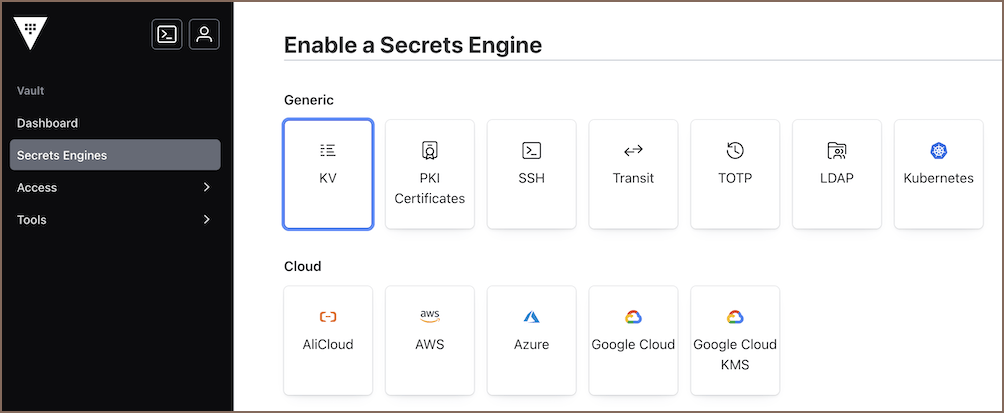
Tip
If KV is already enabled, reuse the existing mount path.
Create a secret
- Go to Secrets Engines -> secret.
- Click Create secret +.
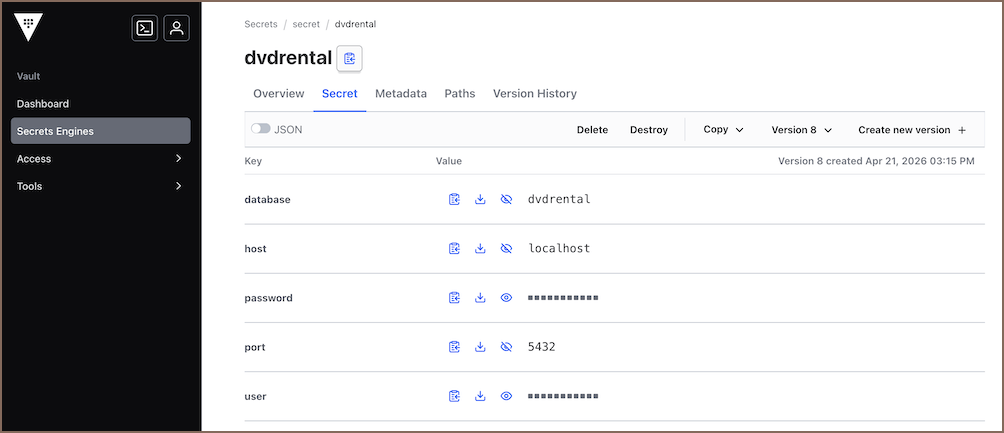
- Enter name.
-
Add key-value pairs.
-
Click Save.
Configure secret manager in dbvr
Run secret-manager create with your Vault URL, auth type, and credentials:
dbvr secret-manager create \
  --vault.vaultUrl=https://vault.example.com \
  --vault.authType=TOKEN \
  --vault.token=s.mytoken \
  --vault.configurationId=vault-dev \
  --vault.configurationName="Vault Dev"
Tip
For other auth types (OAUTH2, USERNAME_PASSWORD) and all available options, see
secret-manager create.
Create a datasource
Run datasource create with --secret-manager set to the configuration ID and
--secret-name set to the secret path in Vault:
dbvr datasource create \
  --secret-manager vault-dev \
  --secret-name secret/dvdrental \
  [other flags]
Note
Secret name format depends on the provider. See Secret name format.
If the secret doesn't include all required fields (such as host or port), pass them as additional flags to
datasource create.