

DBeaver PRO 25.3 is now available, giving you the tools to work faster, smarter, and safer. You get an improved AI Chat experience, smarter data visualizations, important AI safety updates, and access to new AI engines and database connections. Let’s dive in and explore the main updates.
Smarter AI Chat across all desktop DBeaver PRO apps
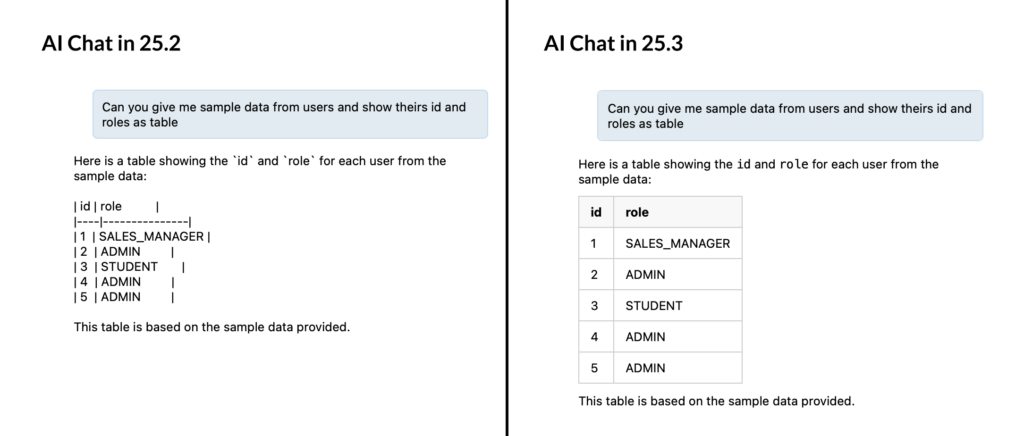
Now you can get more out of AI Chat in all desktop DBeaver PRO editions. Your results appear in structured formats, such as markdown lists or tables, directly within the conversation. This makes it easier to scan results, spot patterns, and copy or use them without extra steps. You save time, reduce mistakes, and get insights from your data more efficiently.
Speaking your requests to the chat works better, too. Short pauses won’t interrupt your requests and unnecessary gaps are trimmed automatically. DBeaver also skips very short audio snippets. If needed, you can adjust all these settings to match your workflow. This makes your conversations with AI smoother and helps you get valid queries on the first try.
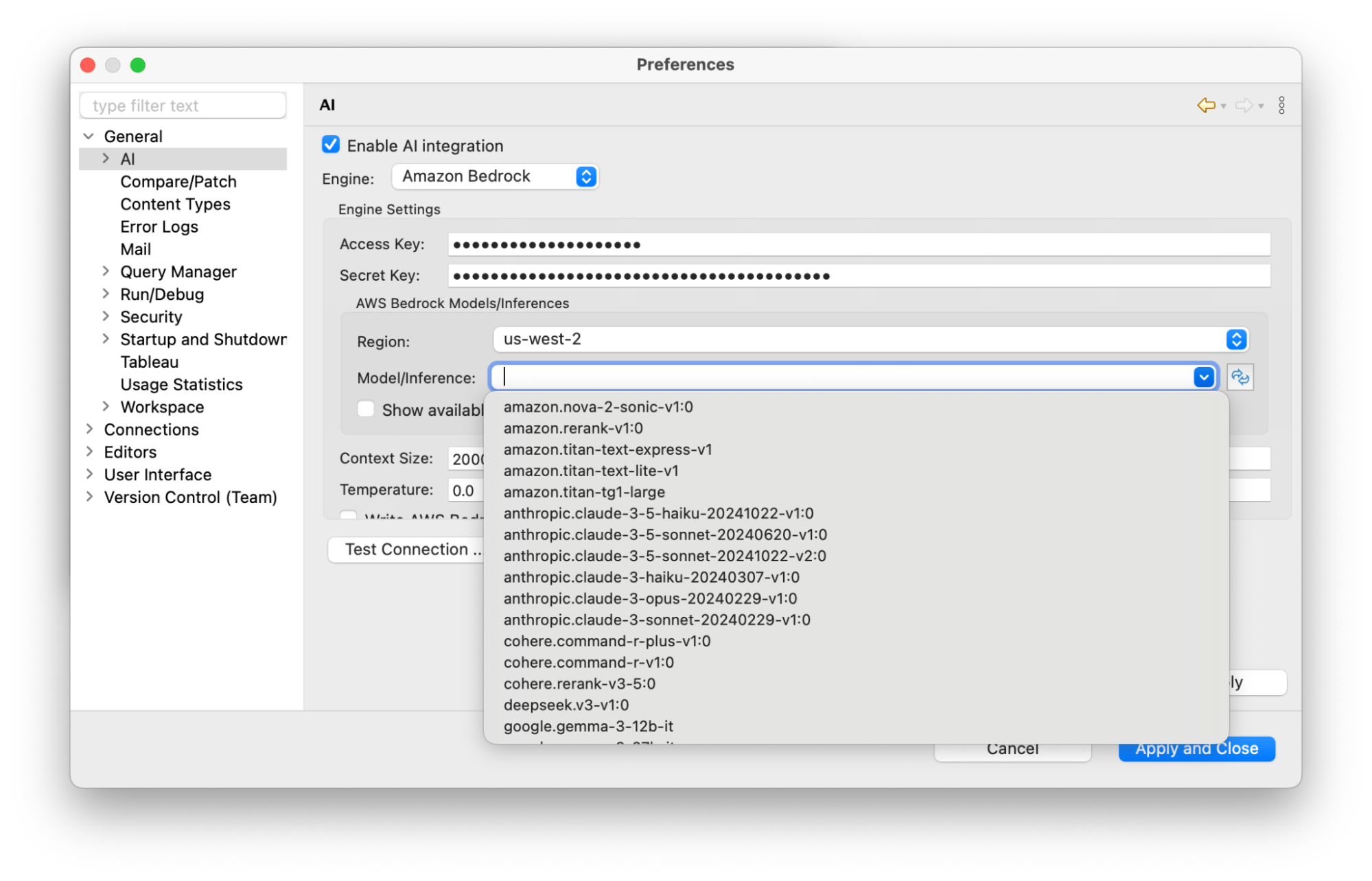
On top of that, DBeaver PRO now supports two new AI engines: Anthropic Claude and Amazon Bedrock, giving you more ways to work with AI on your terms. If you prefer clear, reasoning-focused responses, Claude is great for everyday tasks. And if you rely on AWS, Bedrock lets you access multiple models from Amazon and third-party providers through a single service, all working seamlessly inside your usual DBeaver workflow.
Safety first when working with AI-generated queries
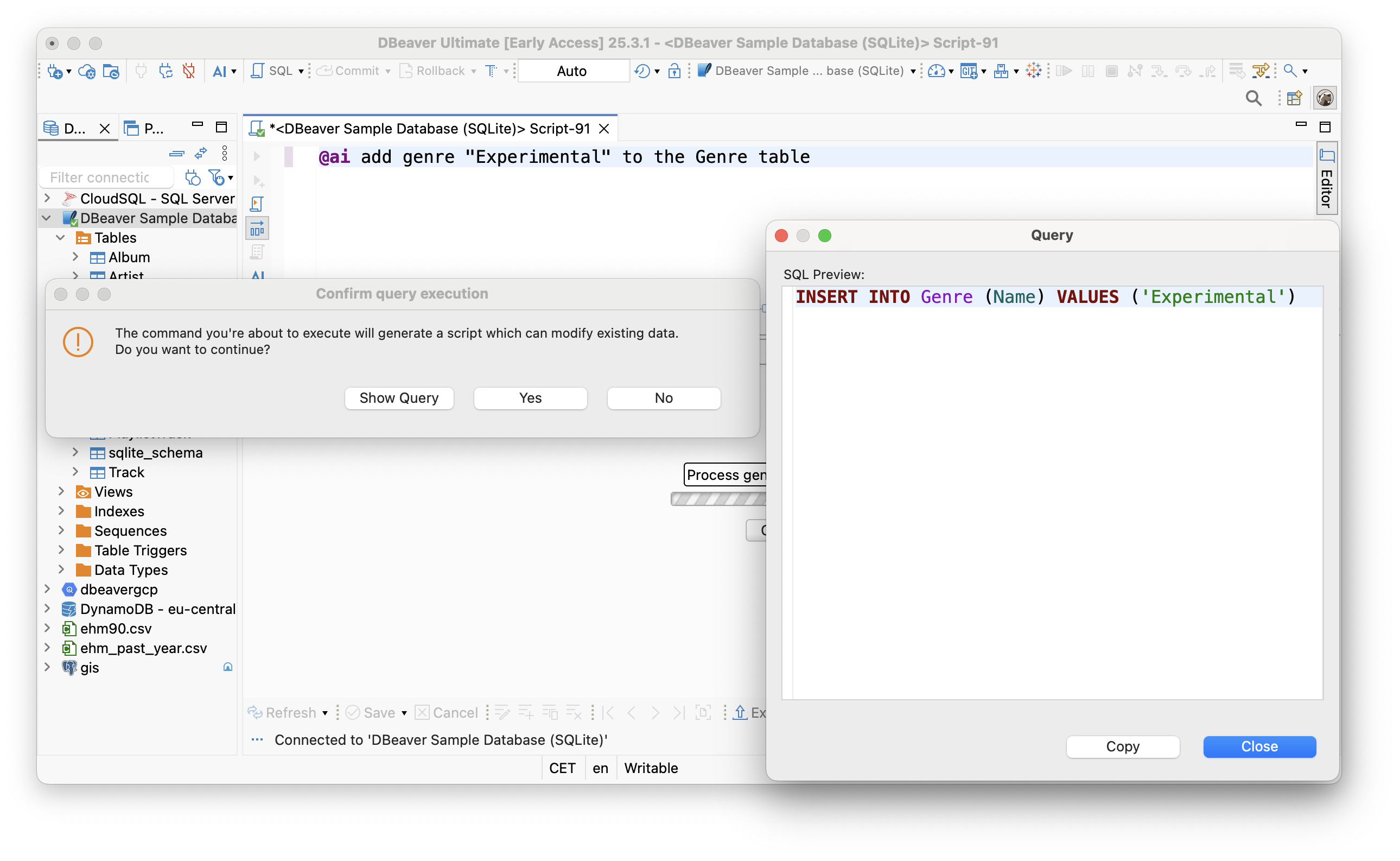
AI can speed up your workflow but it should never put your data at risk. You can set up safety confirmations for different query types so you stay in control of what runs.
Pick when DBeaver should ask for confirmation before executing a query:
- Regular SELECT queries
- Data-modification statements such as DELETE, UPDATE, and INSERT
- Schema-modification commands such as CREATE, DROP, and ALTER
- Unrecognized or non-validatable queries, including NoSQL statements that DBeaver is unable to check.
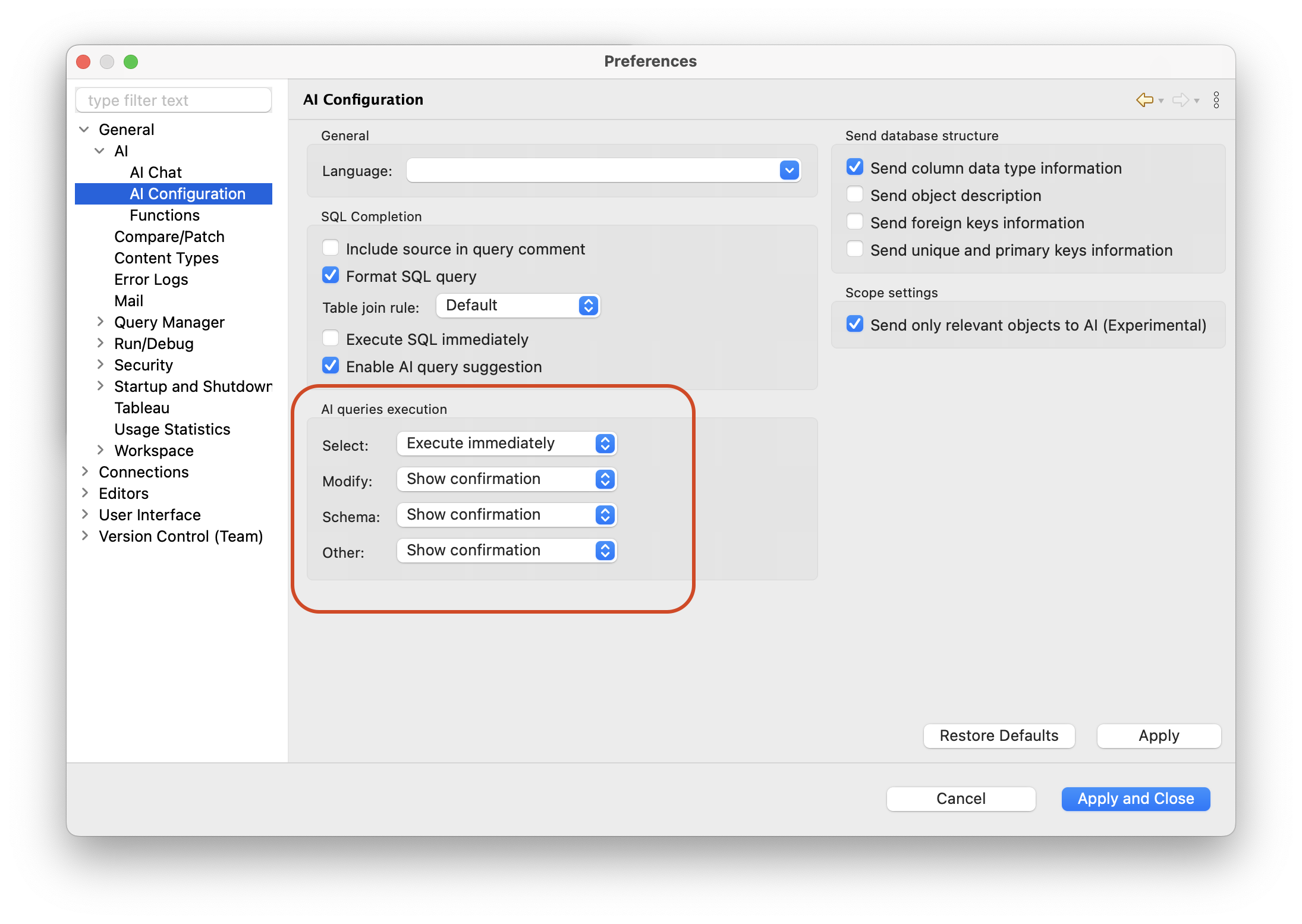
These checks help prevent accidental changes, protect your data from human error, and give you extra peace of mind when using AI to generate queries.
New analytical charts and smarter visualizations
Now it’s easier to explore your data. Previously, in CloudBeaver Enterprise and Team Edition Web, you were able to build bar, line, and pie charts, configure sample and row count, and apply aggregation functions to your data. With version 25.3, you can also stack groups and add breakdowns, allowing you to see the total picture and the details simultaneously. Instantly spot trends, imbalances, and growth patterns that would otherwise remain hidden in a simple total.
With a new update, you also get a brand-new chart type: area charts. They make it simple to compare data over time and see the patterns that emerge instantly.
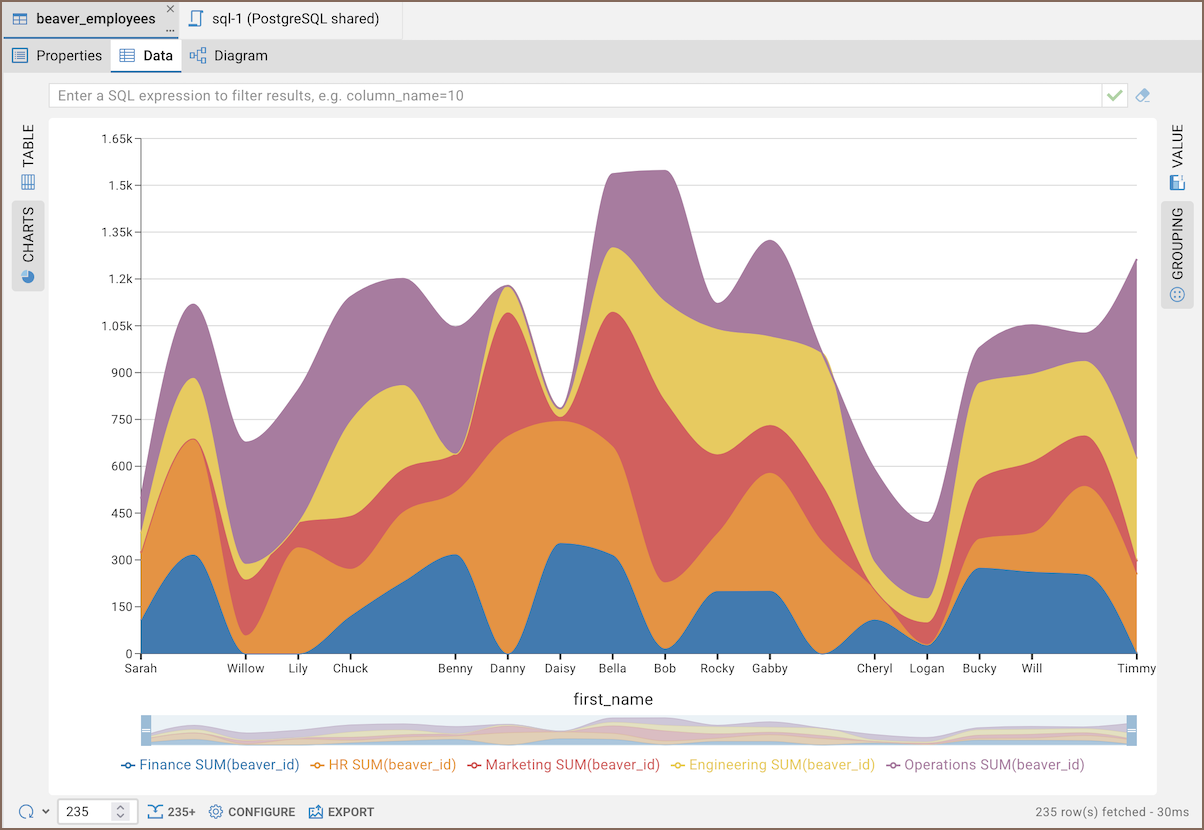
Once you have finished configuring your chart, you can export it as an image for reports or presentations.
New built-in database drivers
You get more ways to connect to your data. In this release, we added support for three new databases, all built into DBeaver, so you can start using them right away.
- Amazon Aurora DSQL. A serverless, distributed SQL database designed for high availability and global-scale applications. Since it’s compatible with PostgreSQL syntax, you can manage it with familiar DBeaver features and run queries using standard SQL. Aurora DSQL is available both through a standard connection wizard and Cloud Explorer.
- FerretDB. An open-source, MongoDB-compatible database proxy that translates MongoDB queries into SQL and runs them on PostgreSQL or SQLite. It works like a translator, letting you use the same tools and commands you would with MongoDB without the licensing restrictions of proprietary engines.
- Greengage DB. A massively parallel, open-source relational data warehouse system rooted in the Greenplum Database lineage. It’s built for large-scale analytics and heavy workloads, making it a strong choice when you need to run complex analytical queries over large datasets.
Greengage DB support was added with help from our contributors and is available in all editions, including Community. Aurora DSQL and FerretDB support are offered in DBeaver PRO.
DBeaver PRO 25.3 is available now
Download DBeaver PRO 25.3 and experience all the new features.