

Version 26.2 of DBeaver PRO is now available. This release brings cross-database querying, new interaction actions in AI Chat, support for two more secret management providers, and four new drivers.
Query several databases through one interface
You can now query several databases through a single interface, using the new Multi-Source Database driver. It’s built on Apache Calcite and works with any relational database supported by DBeaver.
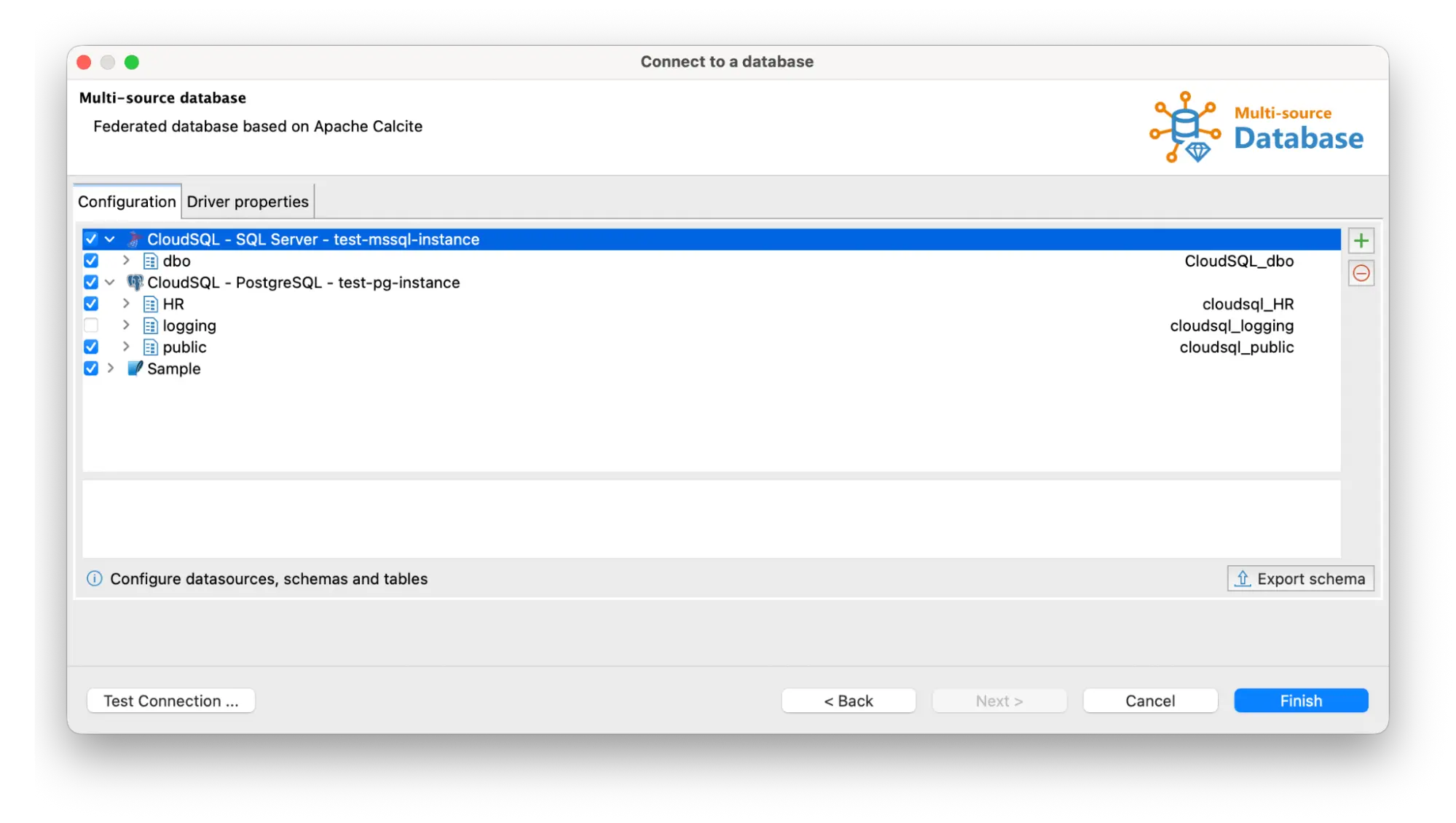
Say the marketing team needs to reach customers with expired subscriptions. The subscription records are in PostgreSQL. The customer details for the campaign are in a SQL Server CRM database. Until now, that meant two exports and a lot of manual matching. Now a single query joins tables from both databases and filters for expired subscriptions. The result gives marketers each contact, the product name, the expiry date, and the industry and company size for campaign segmentation.
AI features also work with the Multi-Source Database driver. Describe what you need in plain language, and AI Chat writes the query across the sources you connected.
The Multi-Source Database driver is available in DBeaver Ultimate and DBeaver Team Edition.
Use the new interaction actions in AI Chat
When your request leaves room for interpretation, AI Chat now asks a short clarifying question first. The new user interaction actions show the options in the chat and wait for your answer.
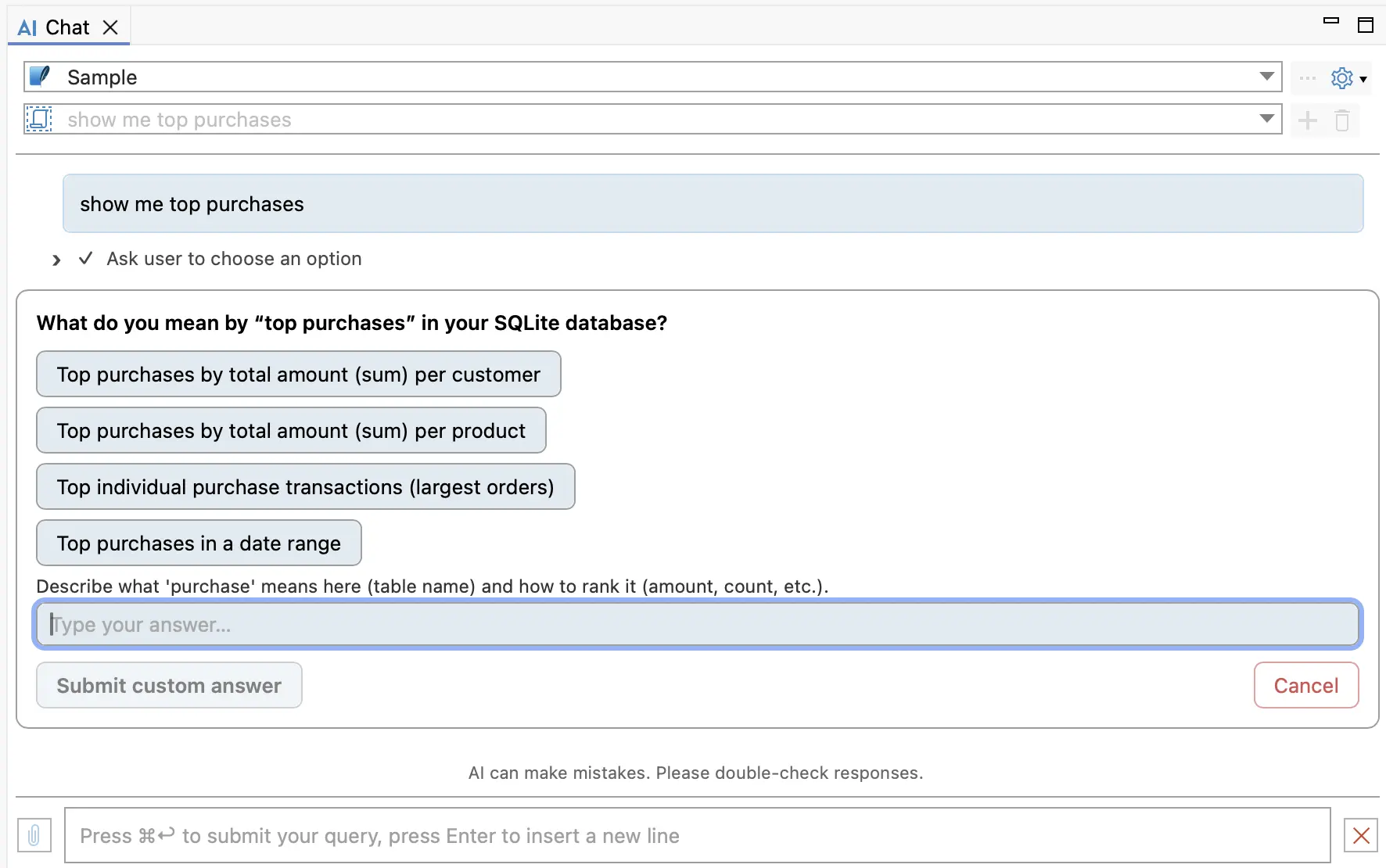
For example, a request like ‘show me top purchases’ can mean several things. The chat asks what “top” means and offers the likely interpretations: the highest total per customer, the highest total per product, the largest individual transactions, or the top purchases within a date range. Pick one or describe what a purchase means in your schema and how it should be ranked.
Without the clarifying question, you would need to read the generated SQL, spot the wrong assumption, and ask again.
Fewer retries mean lower token usage. A short question costs less than a full answer that has to be rewritten.
User interaction actions are enabled by default and available in DBeaver PRO desktop editions, including DBeaver Team Edition desktop.
Switch between AI Model configurations
The engine and model settings in AI Chat can now be saved as a Model configuration. Set up as many as you need in the Preferences, then switch between them in AI Chat.
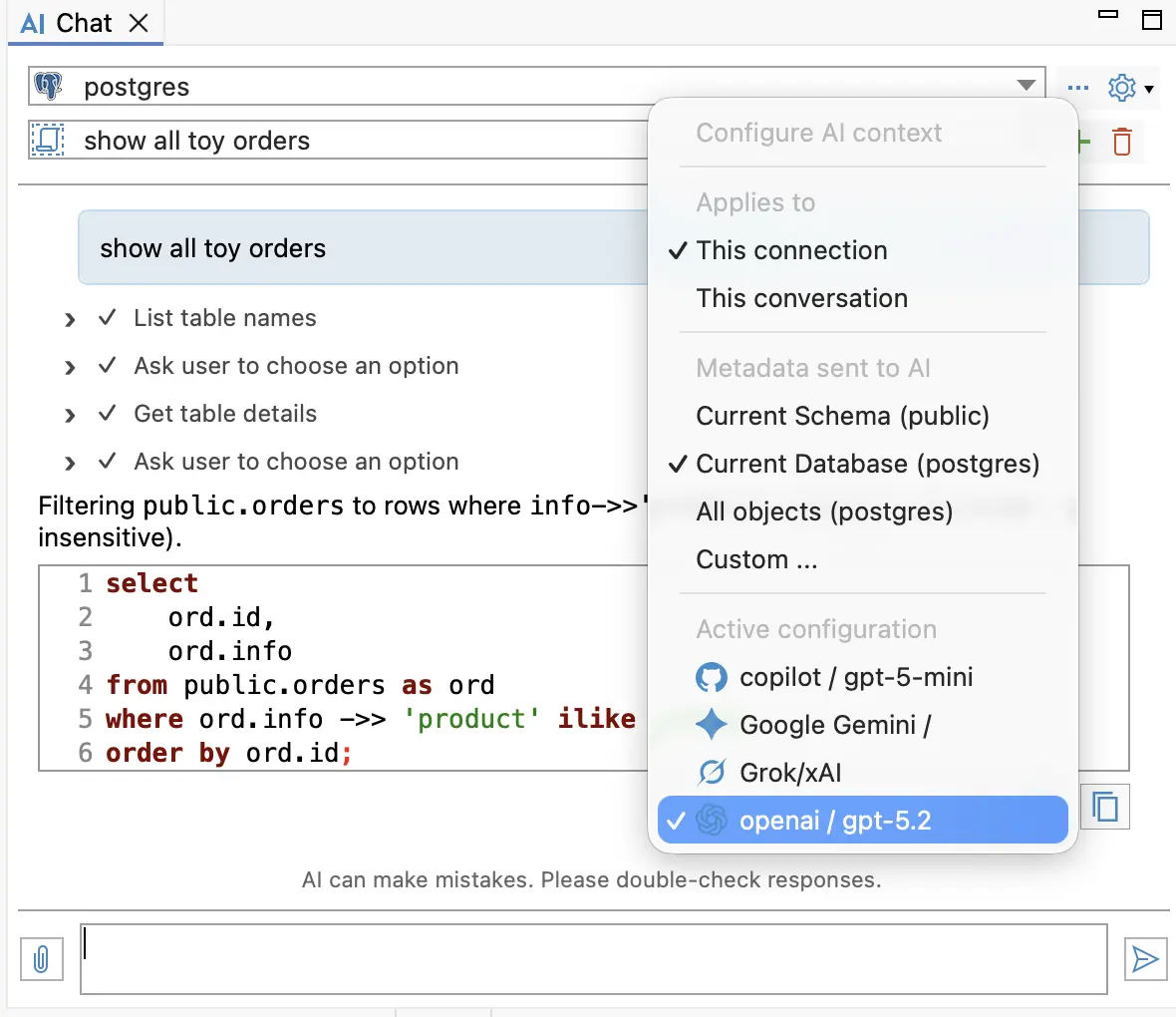
Several configurations can use the same engine with different models, so one points at a fast, inexpensive model and another at a stronger reasoning model. Each conversation keeps its own configuration. This helps when your jobs differ in weight.
Model configurations are available in all desktop editions. In DBeaver Community, they work with the OpenAI and GitHub Copilot engines.
Explore more AI updates
- Grok joins the list of supported engines in DBeaver PRO. The most recent Grok models are included.
- Subscriptions work as an alternative to API keys for OpenAI and Grok configurations. If you already pay for ChatGPT Plus or a Grok plan, connect through it instead of issuing a key and paying for API usage on top.
- Custom URLs are accepted in Anthropic Claude configurations. Requests go to the address your company provides instead of Anthropic’s default endpoint. That helps when your company routes AI traffic through an internal gateway, or when policy requires a specific regional endpoint.
Use new secret management providers
You can now keep your connection credentials in Google Cloud Secret Manager or Azure Key Vault.
The setup follows the same pattern as the other secret providers supported by DBeaver. You store the connection details as a secret, then reference that secret by name when you create the connection. The credentials are retrieved at runtime and applied automatically, so passwords stay out of your local configuration.
For example, let’s say the platform team rotates database passwords in Google Cloud every 30 days. Analysts used to lose their saved connections after each change and had to request the new password. With the credentials in Google Cloud Secret Manager, the connection reads the current password and keeps working.
Both providers are available across DBeaver PRO applications, including CloudBeaver Enterprise.
Connect to four new databases
Four new drivers arrive with this release:
- Apache Doris is an MPP-based real-time data warehouse and OLAP query engine built for low-latency analysis of large datasets.
- GreptimeDB is an open-source observability database that holds metrics, logs, and traces in one engine, queried with SQL and PromQL.
- Timeplus is a streaming SQL platform for ingesting, processing, and analyzing event data with low latency.
- etcd is a consistent, distributed key-value store, best known as the backing store that holds all Kubernetes cluster data.
Apache Doris, GreptimeDB, and Timeplus are available in all DBeaver PRO apps, DBeaver Community, and dbvr Community. etcd support is offered in DBeaver PRO.

DBeaver PRO 26.2 is available now
Visit the download page to update your version.