

DBeaver 26.1 brings you more ways to work with AI and improves your SQL scripting experience. You can add external MCP servers to your AI Chat, run dbvr as an MCP server, and better understand complex queries. Also, there’s a new open-source CLI tool and three new database drivers.
Connect external AI MCP servers
You can now use external AI MCP servers in DBeaver PRO apps. Once a server is added, it becomes available in AI Chat after you confirm it.
The AI model you set up for AI Chat already knows your schema, so it understands the data you work with. An external MCP server builds on this, giving the model knowledge it doesn’t have on its own.
For example, you work with the latest PostgreSQL version and use DBeaver’s AI Chat to research trends in your data more efficiently. The AI model knows your database structure, but some queries still return errors. The reason is that the model was trained on an older PostgreSQL version, so it doesn’t know the newest syntax you rely on. When you add a Postgres-focused MCP server that provides the current syntax, the model learns how to work with it. Your queries are valid, and your work stays on track.
You can add as many servers as you need, each covering a different area. Together, they give the AI model knowledge across everything you work with.
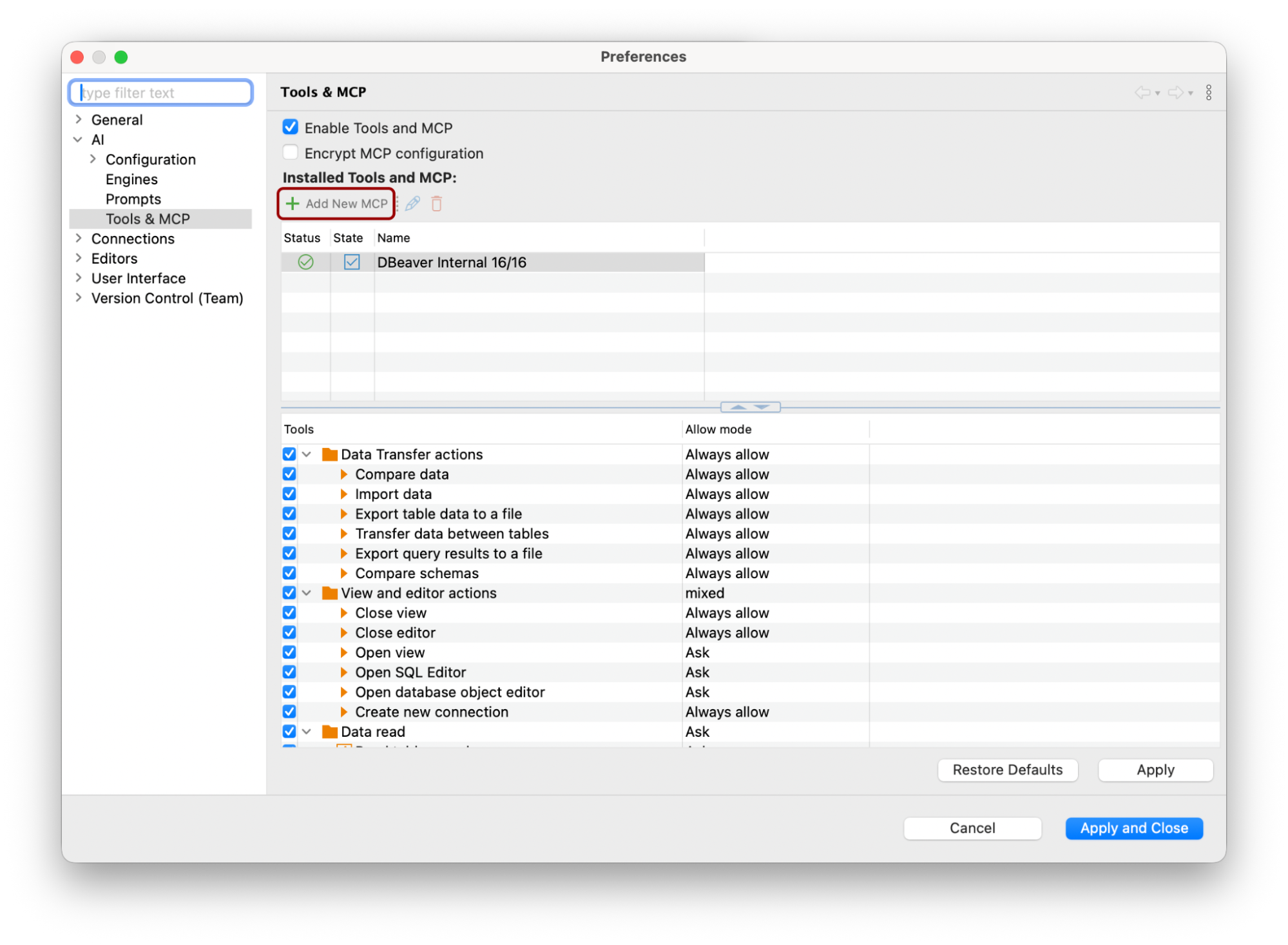
External MCP servers can be managed via the “Tools & MCP” section of the Preferences, together with internal DBeaver tools.
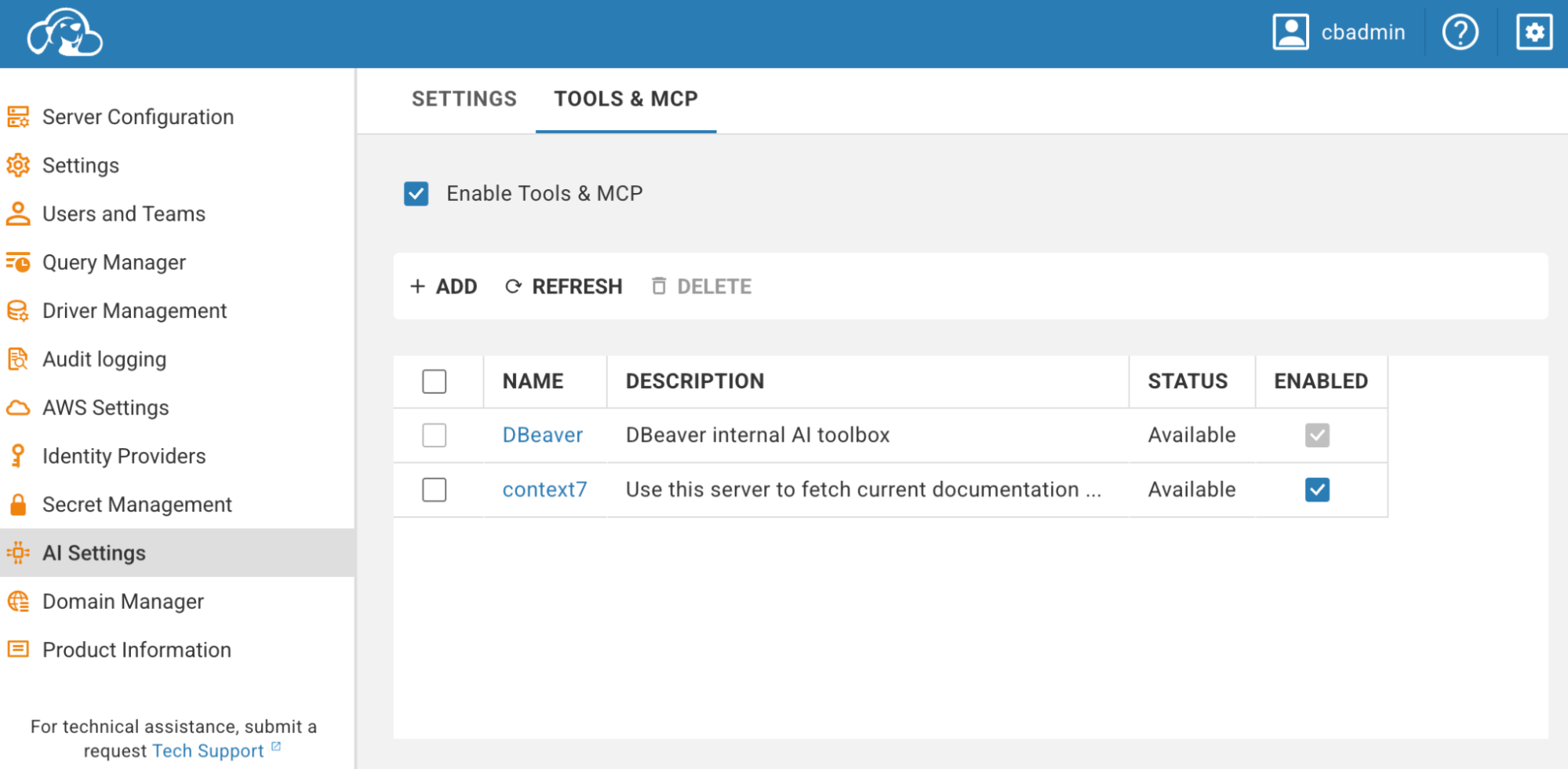
In CloudBeaver Enterprise and DBeaver Team Edition Web, regular users don’t set anything up themselves. Your company’s sensitive data stays safe because administrators add and enable MCP servers centrally for the whole team.
Run dbvr as an MCP server
dbvr can now run as an MCP server. You can create an MCP configuration for a specific connection, and dbvr generates a ready-made JSON snippet to paste into your IDE or a third-party AI tool.

For example, you can run Claude CLI on the same server as dbvr. Once connected to a database via MCP, Claude can browse your catalogs, schemas, and tables, read the full structure of any table, and run SQL queries against your database.
You can ask it to explain how two tables relate, or pull a quick result like “show me the 10 most recent orders.” Connected via MCP, Claude CLI works within the permissions of the database user it connects as.
dbvr now has an open-source version
There’s a new open-source tool in the DBeaver family. dbvr Community is a free CLI database management tool available to everyone under the Apache License 2.0.
| Feature | dbvr Community | dbvr |
|---|---|---|
| Core | ||
| Query execution | Run SQL queries against your databases | Run SQL queries against your databases |
| Query result export | To the local disk | To the local disk and to cloud storages |
| Metadata management | Yes | Yes |
| Database support | ||
| Relational databases | Basic: MySQL, SQL Server, Postgres and others | Advanced: MySQL, PostgreSQL, SQL Server, Oracle and others |
| NoSQL databases | — | MongoDB, Cassandra, Redis, CouchDB and others |
| Cloud support | ||
| Cloud databases | — | Redshift, Google BigQuery, Oracle Cloud and others |
| Cloud storages | — | Amazon S3, Azure Blob Storage, GCP storages |
| Authentication & security | ||
| Authentication | Username + password | Enterprise SSO, SSL, Kerberos. SSO to GCP, AWS, Azure |
| Connection security | SSH tunnels | SSH tunnels + master password & strong credentials encryption |
| Secret management | — | AWS, Vault, CyberArk |
| MCP server configuration | — | Expose a database connection as an MCP server |
| Support | ||
| Technical support | Contact via GitHub | Contact support |
A brand-new Query Execution Plan
The Query Execution Plan graph was redesigned with a more convenient tree view, improved node collapsing behavior, and a new visual cost indicator that highlights the relative cost of each execution plan node. Node details are now open in a right-side panel when you click a node.
With these updates, you can now explore complex execution plans more clearly, especially when working with large queries and multiple operators.
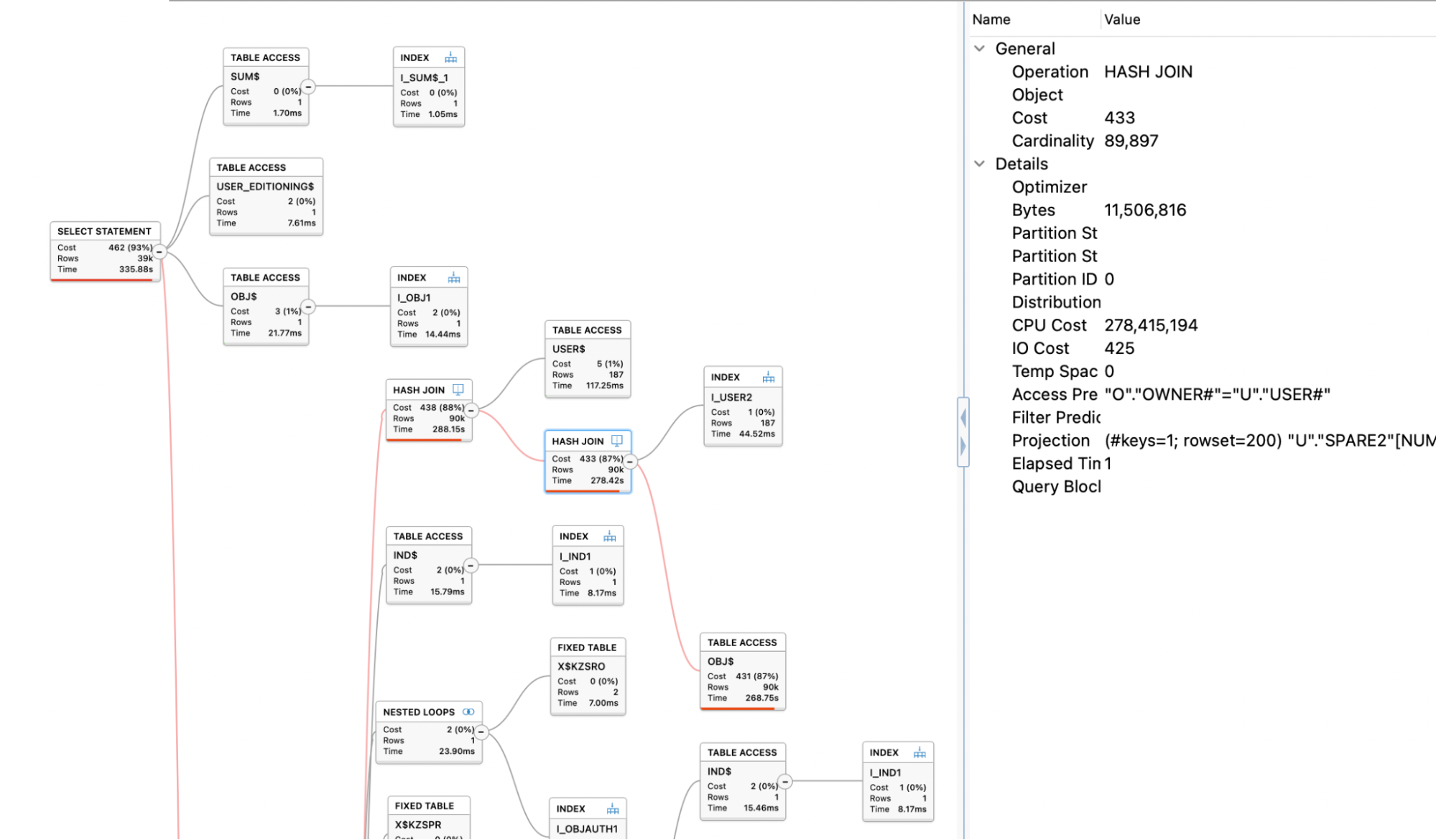
To understand the execution plan better and get helpful hints on potential query optimization, you can send it directly to AI Chat. It will give you a natural-language explanation of how the query is executed and where performance bottlenecks appear.
To get access to AI features, you need to set up your AI configuration first.
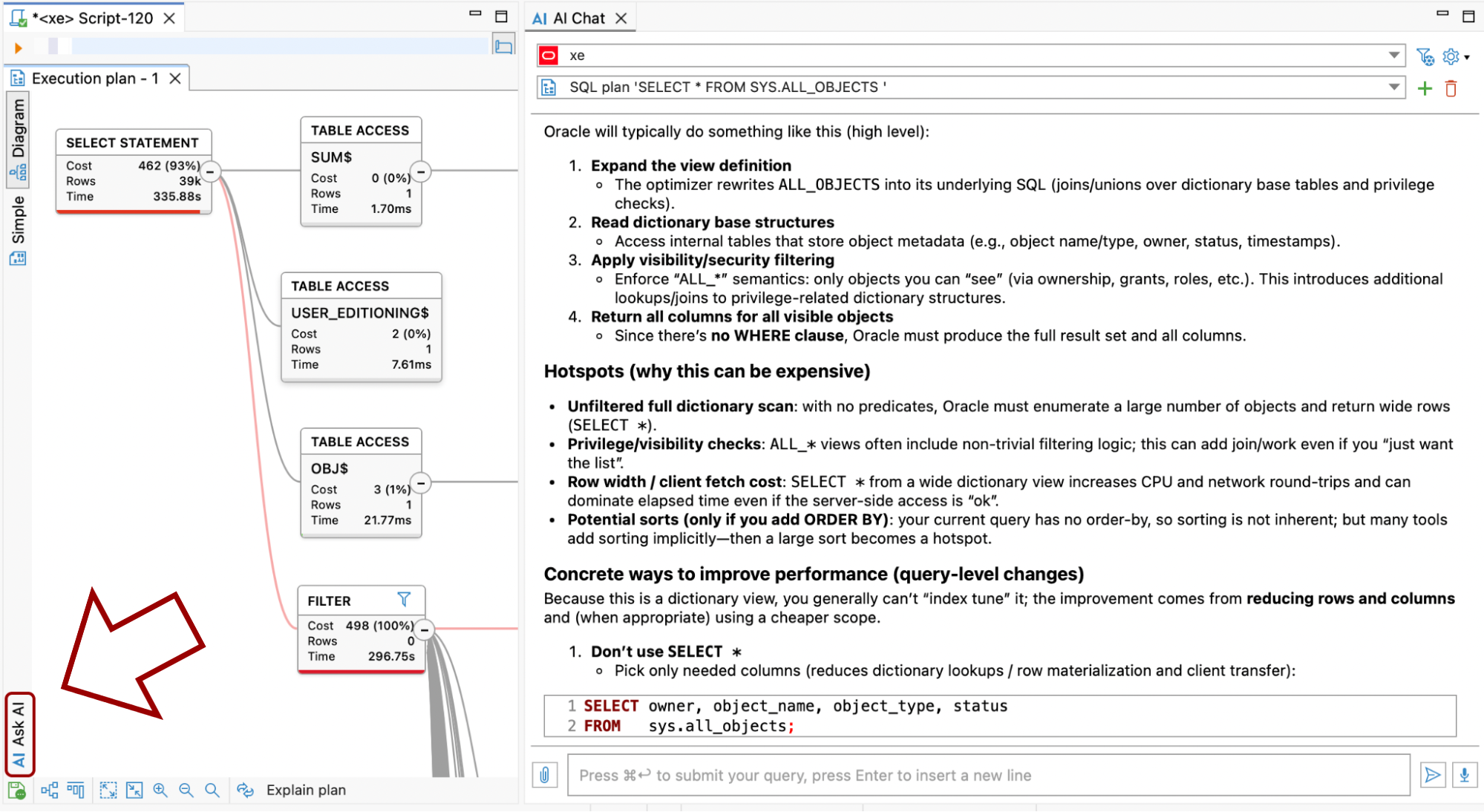
The new Execution Plan is available in all DBeaver PRO desktop applications, CloudBeaver Enterprise, and DBeaver Team Edition.
New database support
Alongside the new features and improvements, you’ll find support for several new database platforms:
- Microsoft Fabric is Microsoft’s enterprise-scale analytics platform built on a data lake foundation. If your team works across OneLake and Fabric warehouses, you can now manage that data alongside 100+ data sources supported by DBeaver.
- Valkey is the open-source, Linux Foundation-backed fork of Redis 7.2. It’s a high-performance key-value store for caching, session stores, and message queues.
- GizmoSQL is a high-performance OLAP engine powered by DuckDB and Apache Arrow Flight SQL. It’s built for querying large datasets fast.
Microsoft Fabric and Valkey are supported by all DBeaver PRO desktop applications, CloudBeaver Enterprise, and DBeaver Team Edition. GizmoSQL was added by one of our contributors and is available in all editions, including DBeaver Community and dbvr Community.
DBeaver PRO 26.1 is available now
Visit the download page to update your version.