

Simple and Advanced view
You can control how the Connections and Database object editor display objects by switching between Simple and Advanced connection views.
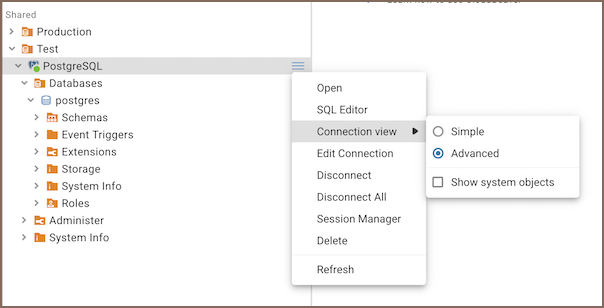
To change the view, right-click a connection in the Connections and select Connection view:
- Simple - shows only schemas and tables.
- Advanced - shows all database objects. Enabled by default.
- Show system objects - makes system schemas and tables visible in the Connections and the Metadata editor.
Tip
Admins can set the default view for all new connections in Settings - Server configuration - Configuration - Connections simple view. This only affects newly created connections.