

Connection types
Connection types control how CloudBeaver behaves when working with a database. They help define environment-specific behavior, such as:
- autocommit mode
- background color for easy environment recognition
You can assign a connection type when creating or editing a connection. Connection type colors appear in the Connections.
Info
Administrators can also define custom types with their own settings and colors.
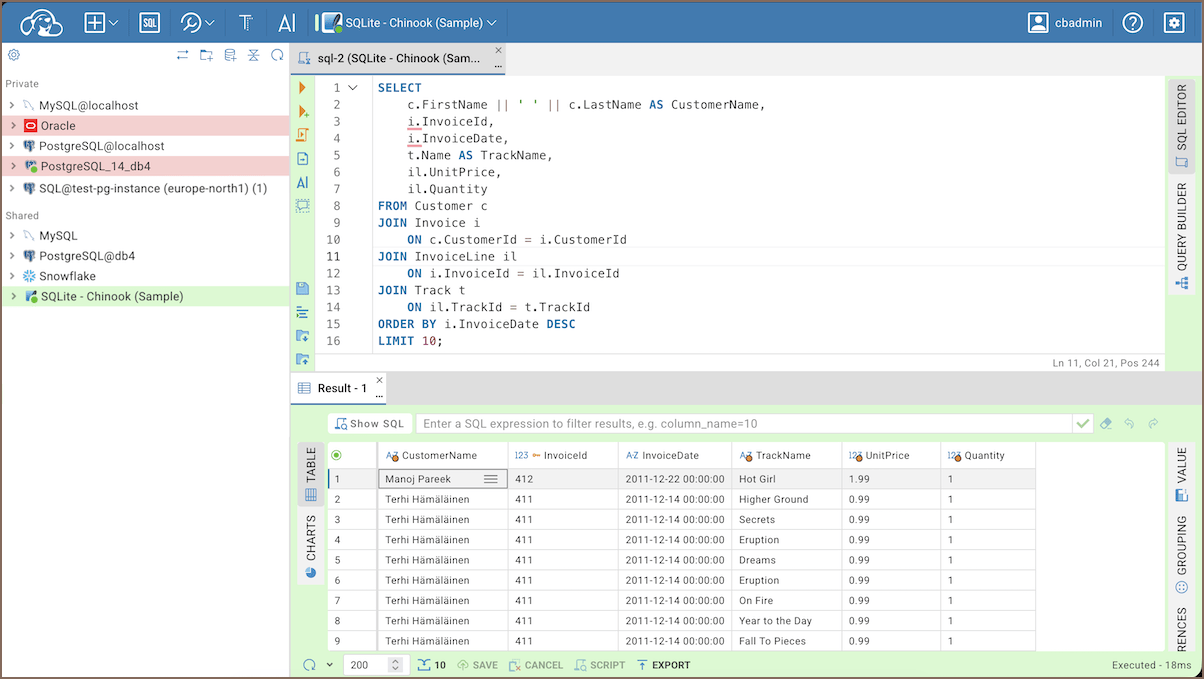
Important
Connection types define the default behavior for all connections that use them. In particular, autocommit mode is inherited from the connection type unless you explicitly change the transaction mode for the active connection.
Manage connection types
Change connection type
Info
New connections use the Development type by default. Learn more about Default connection types.
-
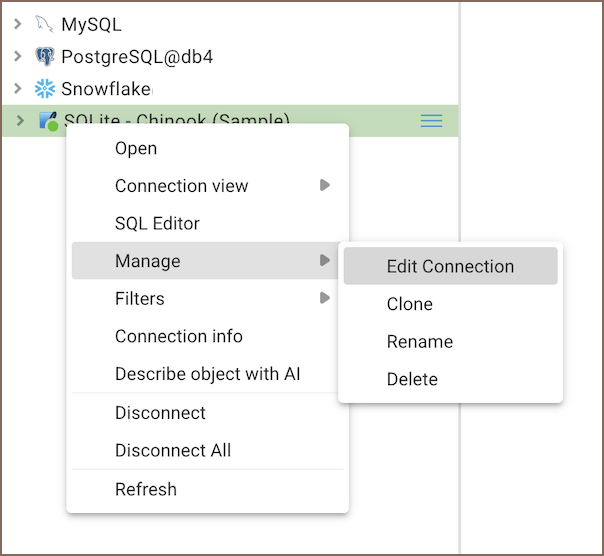
In the Connections, open the context menu for a connection and select Manage -> Edit Connection.
-
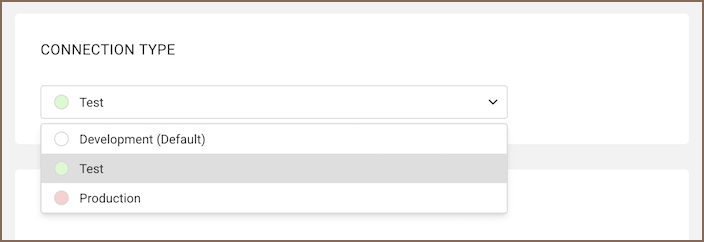
In the connection settings, select a value in the Connection type list.
-
Save the connection.
Note
To edit a connection created from Cloud Explorer, first sign in with the authentication provider required by that connection.
Create, edit, and delete connection types
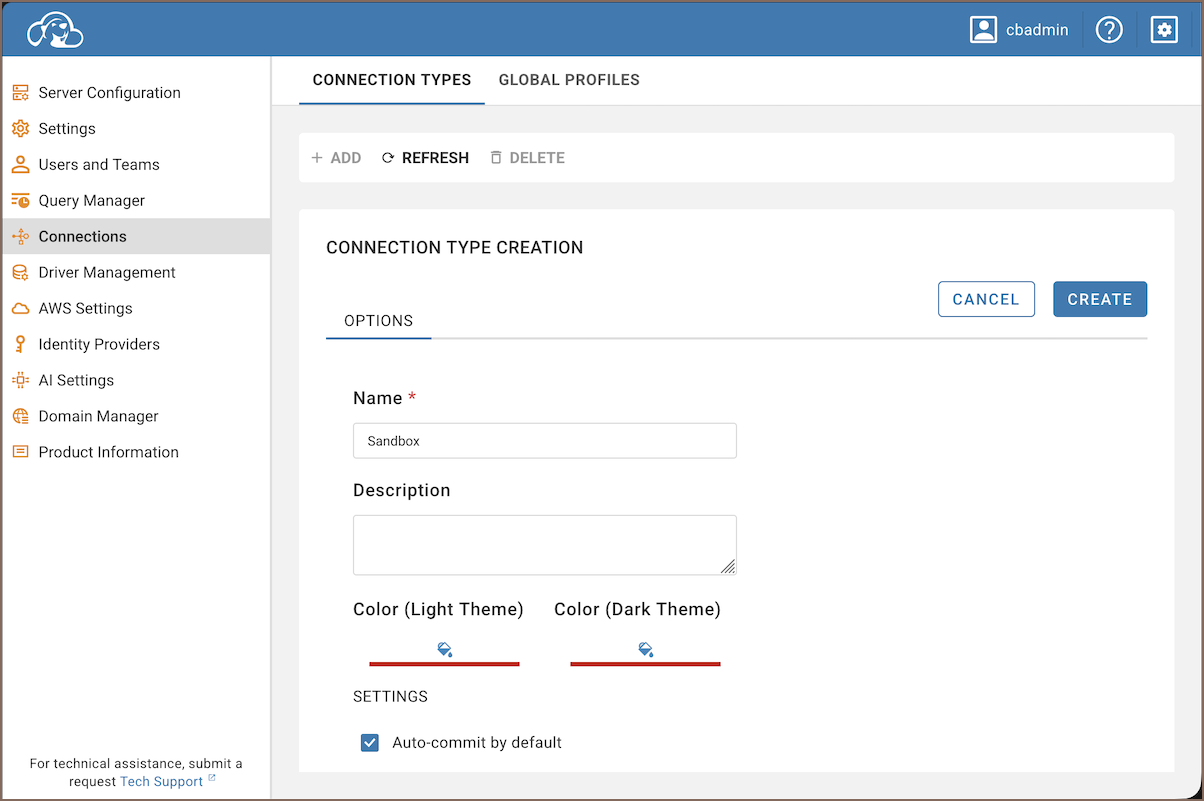
- Open Settings -> Administration -> Connections -> Connection types.
-
Choose an action:
- Create: Select Add, enter a name and description, configure the connection type settings, and save.
- Edit: Select a connection type, update its settings, and save. While editing Development, Test, or Production, select Reset to default to restore that type's default settings.
- Delete: Select a custom connection type, select Delete, and confirm.
Connection type settings
When you create or edit a connection type, you can adjust the following settings:
| Setting | Description |
|---|---|
| Name | Display name shown in the UI |
| Description | Short explanation of what this connection type is for |
| Light theme color | Visual indicator used for connections of this type in the light theme |
| Dark theme color | Visual indicator used for connections of this type in the dark theme |
| Auto-commit | Enable autocommit mode as the default behavior. For information on transaction modes, see Auto and manual commit modes |
Note
Auto-commit changes apply to a connection after you reconnect it.
Info
For information on pre-configured connections, see Configuring server data sources.
Default connection types
CloudBeaver includes three built-in connection types:
- Development – for local use
- Test – for staging environments
- Production – for live databases
Comparison of default types
| Setting | Development | Test | Production |
|---|---|---|---|
| Autocommit | On | On | Off |