

References Panel
 Available since 26.2
The References panel shows related records from other tables connected by foreign keys. It helps you explore table relationships directly in the Data editor.
To open the panel, click the References button ( ) on the
right-hand side of the Data tab.
) on the
right-hand side of the Data tab.
Tip
Select several rows to see the related records for all of them at once.
View referenced data
If the current table references another table through a foreign key, the panel shows the matching row from that table. The panel resolves the foreign key from the selected cell and returns the single record it points to.
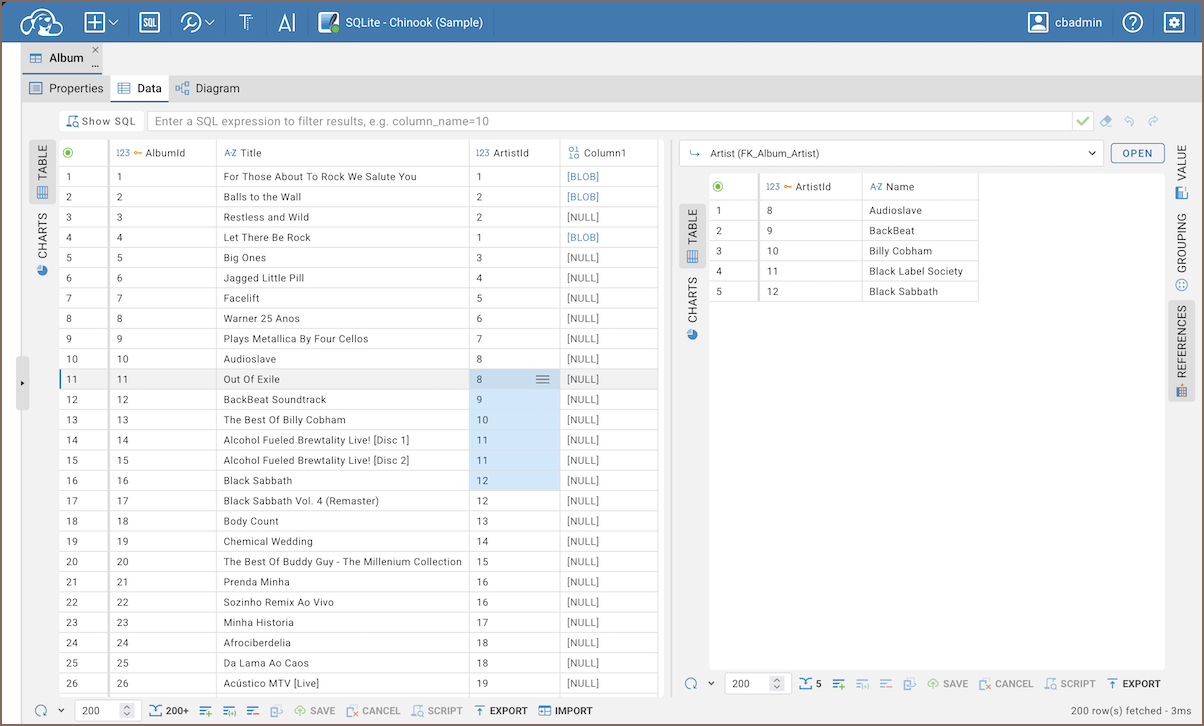
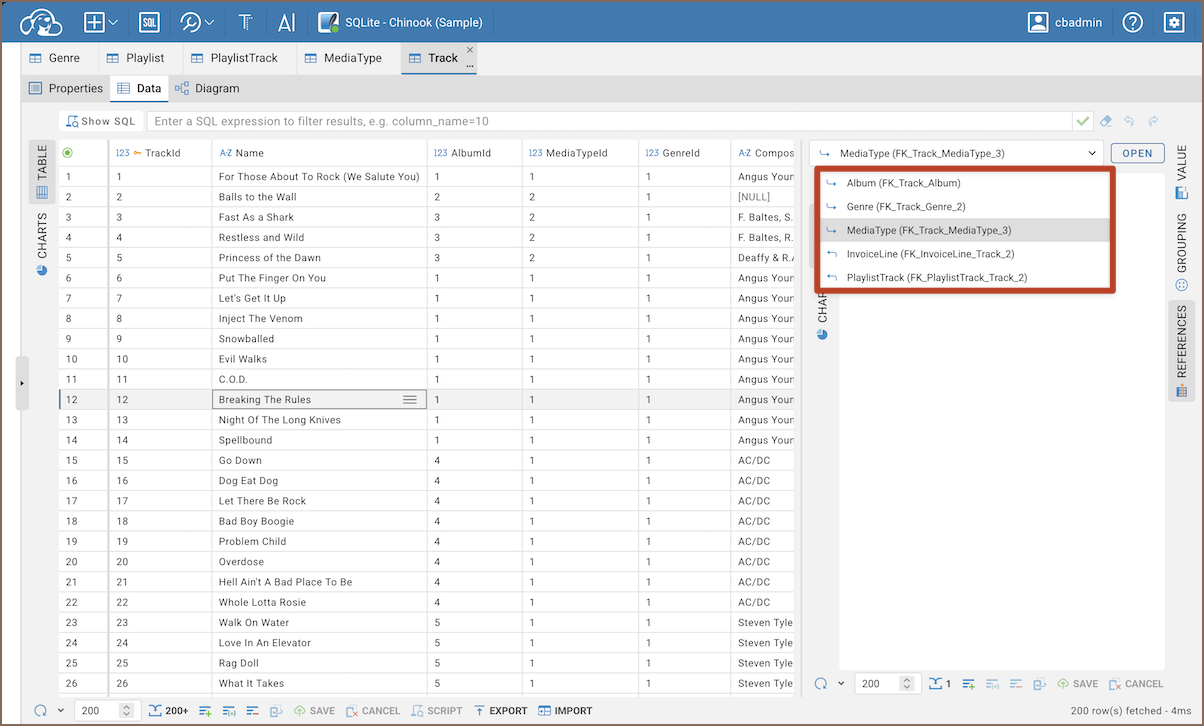
When the current table has several foreign keys, the panel keeps a separate result set for each key. Switch between keys to see the related records for each one.
Tip
Click Open on the panel toolbar to open the referenced table in a new tab.
View referencing data
If another table references the current one, the panel shows all rows that refer to the selected primary key in the current table. Select a row in the result set, and the panel lists every record from other tables that points back to it.
When several tables reference the current one, the panel keeps a separate result set for each key. Switch between keys to see the referencing records for each one.
Note
The panel works on result sets that come from a single table. Foreign keys are read from the table's metadata, so a related record appears only when the connected table is available in the current connection.