

n8n integration
Connect CloudBeaver to n8n to automate your database workflows. Build workflows that execute SQL queries, select rows, insert data, update records, and delete data across your configured connections.
The CloudBeaver node is a verified n8n community node. It lets your workflows run database operations through CloudBeaver's GraphQL API.
Prerequisites
Gather the necessary details before you build your workflow.
-
Deploy CloudBeaver.
Info
For instruction on deployment, see CloudBeaver Deployment.
- Create a CloudBeaver access token or use local credentials.
-
Find your database connection ID.
Tip
To find your connection ID, right-click the database in the CloudBeaver Connections, select Open, and copy the ID from the connection window.
Connect CloudBeaver to n8n
Connect your node to your server:
- Open your n8n workflow editor and click + in the top right to open the Nodes panel.
-
Search for
CloudBeaverand install the node.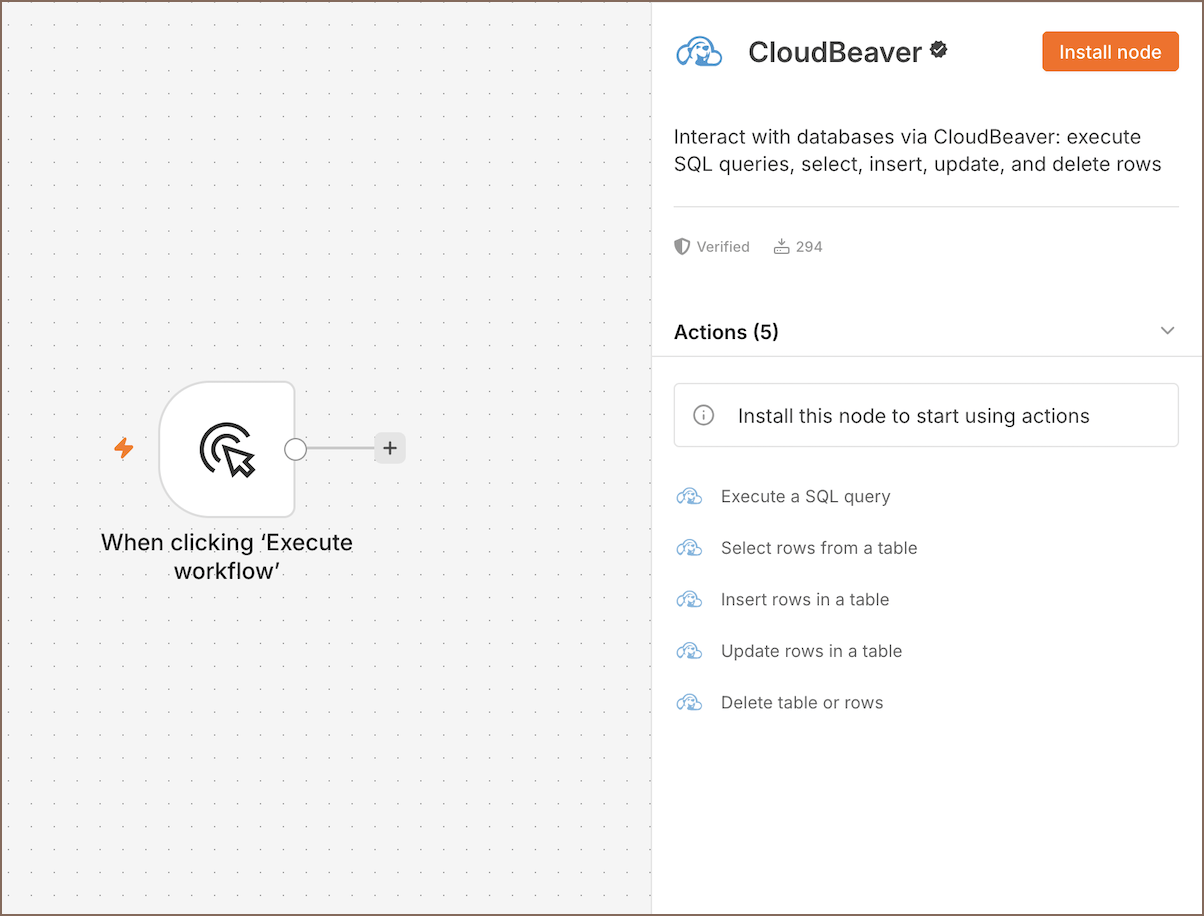
Info
For more details, see how to work with nodes in the n8n documentation.
-
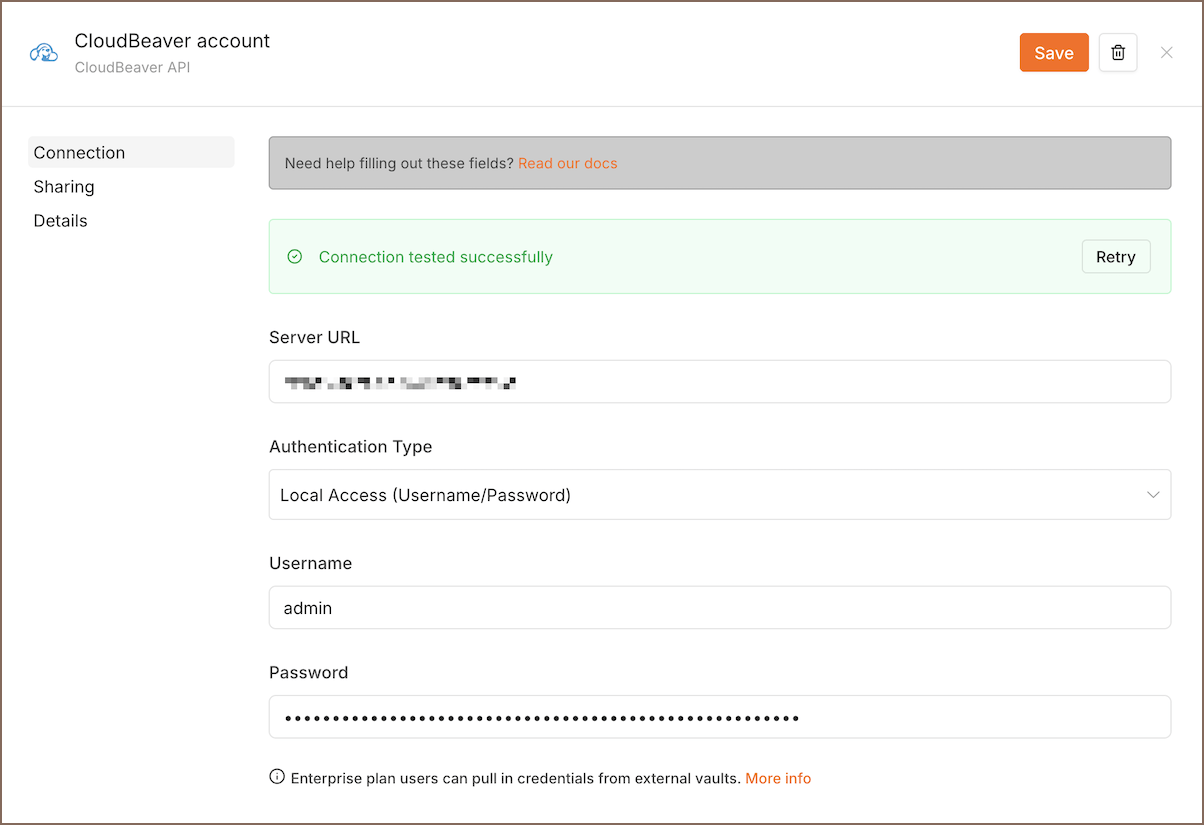
Choose an action and create credentials:
- Select your authentication type.
- Enter your CloudBeaver server URL.
- Provide your credentials or access token.
-
Save your connection settings.
-
Click Save to test your connection. You'll see a
Connection tested successfullymessage if it works.
Info
Learn more on how to create and edit credentials.
Available operations
- Execute SQL Query: run custom SQL statements.
- Select Rows: retrieve rows from a table without writing SQL.
- Insert Rows: add records to a table.
- Update Rows: modify existing records.
- Delete: remove rows, truncate a table, or drop a table.
Example workflow
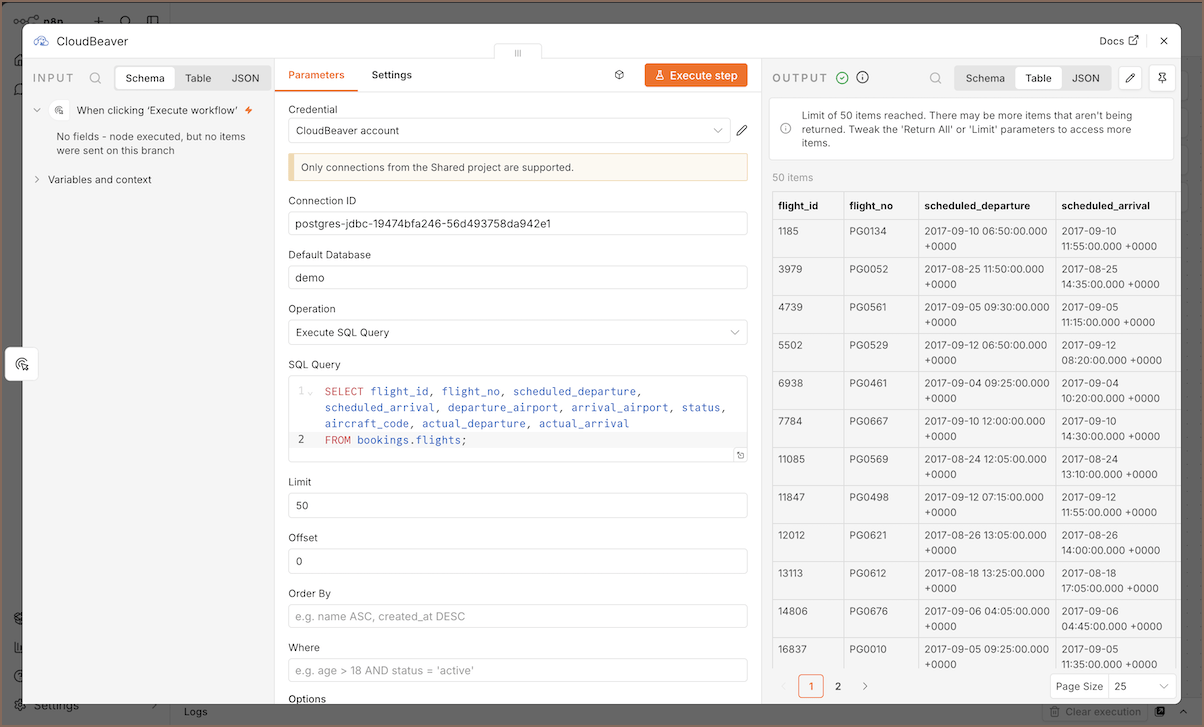
Use CloudBeaver to pull database records and feed them into other apps in your n8n pipeline.
- Add a Schedule Trigger node to run your workflow automatically.
- Connect the trigger node to the CloudBeaver node.
- Configure the CloudBeaver node with your connection ID and target database name.
- Add your query to the SQL Query field.
- Click Execute step to test the query and preview the results.
Use the output from the CloudBeaver node in any downstream n8n node, for example to filter data, send notifications, or trigger additional actions.
Info
For information on creating workflows, see the official n8n documentation.