

Transaction log
The Transaction Log shows all transactions (queries of ‘transaction’ type such as INSERT/DELETE/UPDATE and others) made during the current DBeaver session. To open the Transaction Log, click the Transaction log button ( ) in the toolbar or the statistics field to the left of it.
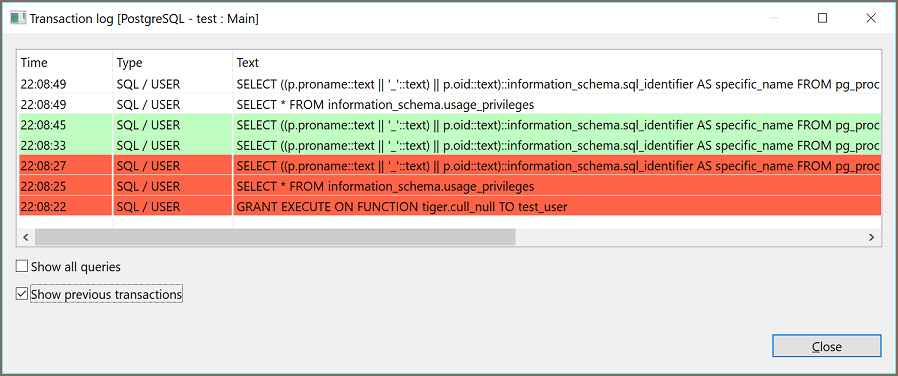
The Transaction Log window shows transactions that are:
- In progress or pending - shown without any special color
- Successfully committed – in green:

- Rolled back – in orange or red:

To see all previous transactions during the current session, select the Show previous transactions checkbox. To see all queries including non-transactional ones, select the Show all queries checkbox.