

Server database
This article describes supported database engines, how to access the internal database in different deployment types, and how to perform common operational tasks such as password changes and migration.
Team Edition stores core system data, including users, access control data, and query history.
Supported databases
Team Edition supports the following database engines:
- PostgreSQL (default)
- MariaDB
- Oracle
- SQL Server
Accessing the internal database
To access internal database data for administrative or diagnostic purposes, you may need temporary direct access to the database service.
Note
In Team Edition, this database runs in a separate service and is not directly accessible from the application network by default.
Before you start
Note
This section applies only to Docker Compose deployments.
By default, the cloudbeaver-te service runs on cloudbeaver-te-common-net, while postgres runs on the isolated
cloudbeaver-te-private-net. The two services can't reach each other across these networks.
To temporarily allow access, add cloudbeaver-te-private-net to the list services.cloudbeaver-te.networks in docker-compose.yml:
cloudbeaver-te:
  networks:
    - cloudbeaver-te-common-net
    - cloudbeaver-te-private-net  # add temporarily
Then apply the change:
Warning
This exposes the internal database to the application network. Revert this change when you're done.
Connect to the database
-
Identify database connection parameters used by the server
Tip
Look for
CLOUDBEAVER_DB_*in the.envfile orbackend.cloudbeaver_db_*ink8s/values.yaml. -
Example
Typical PostgreSQL connection settings.
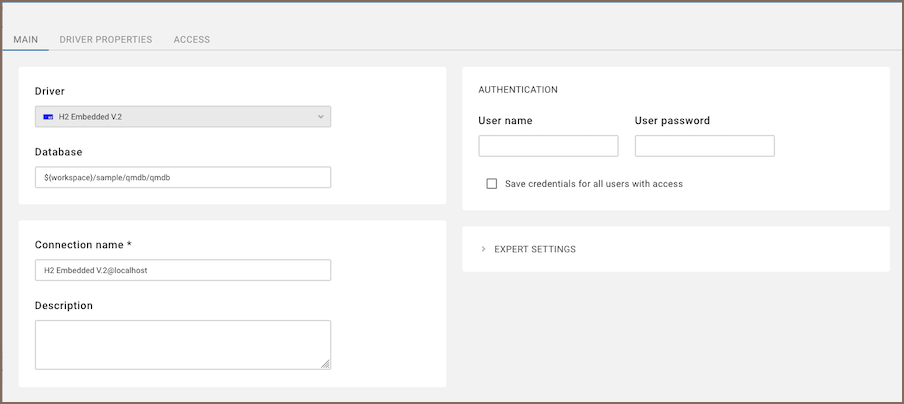
Use web client to connect:
- Host:
postgres - Port: default is
5432 - Database: default is
cloudbeaver - User: value of
CLOUDBEAVER_DB_USER - Password: value of
CLOUDBEAVER_DB_PASSWORD
Default credentials depend on your deployment configuration and may differ from standard PostgreSQL defaults.
- Host:
-
Open the
cloudbeaverdatabase. > Tip: Open theqmschema to view Query Manager data. Query history is stored in theqm_querytable.
Changing the database password
-
Change passwords value:
- for compose
compose/cbte/.envvalue ofCLOUDBEAVER_DB_PASSWORDvariable - for k8s in
k8s/cbte/values.yamlvalue ofbackend.cloudbeaver_db_passwordvariable
Example
CLOUDBEAVER_DB_PASSWORD=**********. - for compose
-
Login into postgres container:
- for compose from
compose/cbte/dir rundocker compose exec -it postgres psql -U postgres - for k8s with kubectl
kubectl-do exec -it postgres-*********-***** psql -U postgres
- for compose from
-
Change postgres password:
ALTER USER postgres WITH PASSWORD '**********';
-
Restart or redeploy cluster services:
- for compose in
compose/cbteexecutedocker compose up -dcommand - for k8s in
k8s/dir executehelm upgrade cloudbeaver ./cbte
- for compose in