

Apache Doris
This guide provides instructions on how to set up and use Apache Doris with DBeaver.
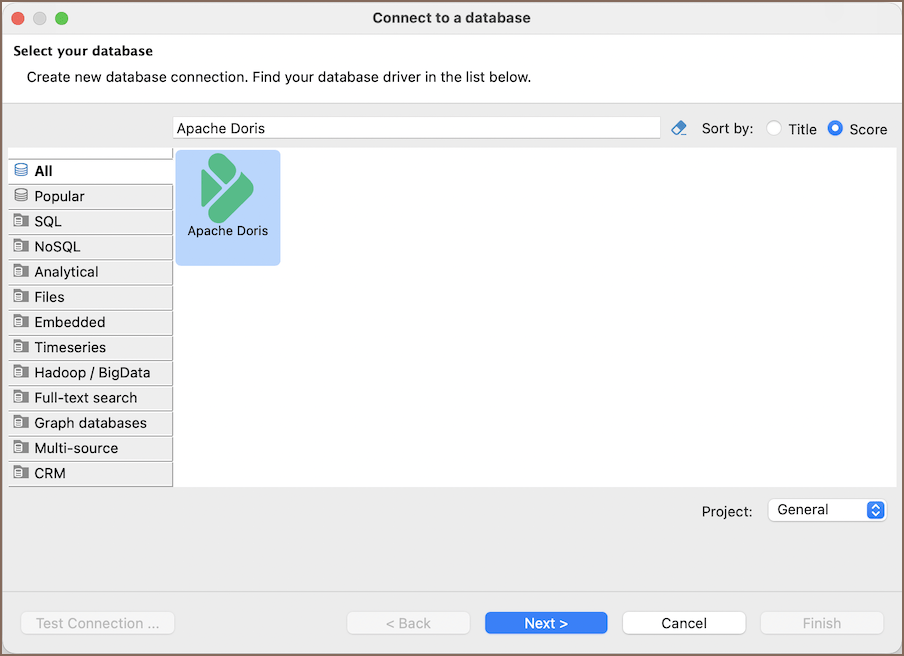
First of all, start creating a connection in DBeaver and select Apache Doris. For information on creating a connection, see Create connection.
Info
VeloDB Cloud is a managed service built on Apache Doris, so you can connect to it through the same driver in DBeaver.
Apache Doris specialty
Apache Doris is a distributed, MPP-based SQL database for real-time analytics. It uses columnar storage and vectorized query execution to process analytical workloads across backend nodes. Doris supports real-time data ingestion and is compatible with the MySQL protocol, so DBeaver can connect through MySQL Connector/J.
The driver provides access to the built-in internal catalog for Doris tables and external catalogs for querying data from connected sources.
Info
For more details, see the Apache Doris documentation.
Setting up
Configure a direct connection to Apache Doris and add any required network settings, such as SSH, proxy, or SSL.
Apache Doris connection settings
Use the Main tab to configure the initial connection.
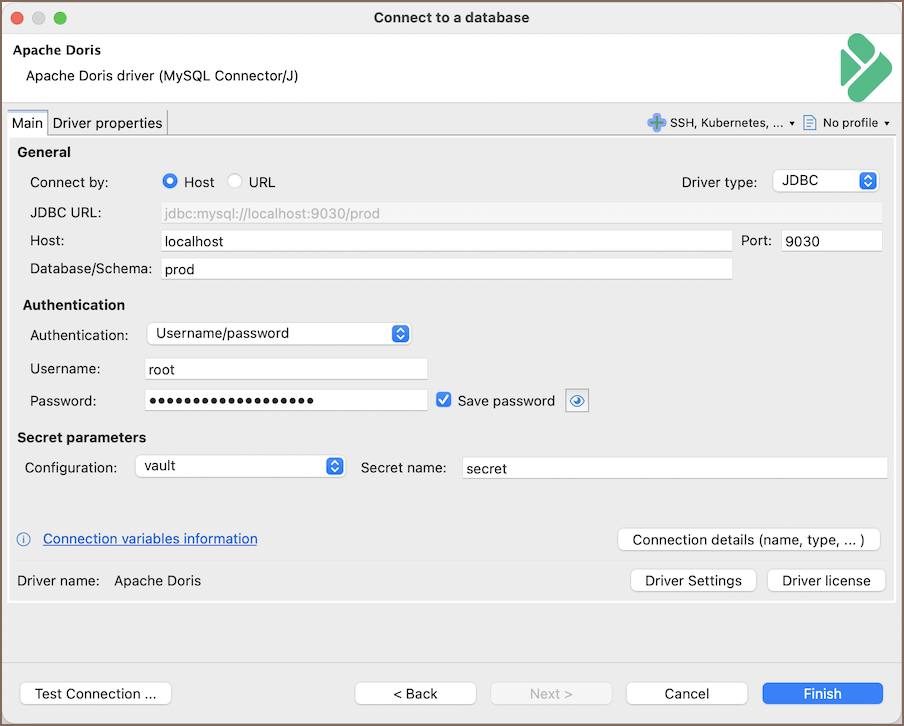
The following table describes the connection settings:
| Field | Description |
|---|---|
| Connect by (Host/URL) | Choose whether to connect using a host or a JDBC URL |
| JDBC URL | Enter the JDBC URL when connecting by URL |
| Host | Enter the host name or IP address of the Apache Doris frontend node |
| Database/Schema | Enter a database name, or use catalog.database to open a database in an external catalog |
| Port | Enter the MySQL protocol port, which defaults to 9030 |
| Authentication | Select username and password, password from shell command, or DBeaver profile  authentication authentication |
| Connection Details | Configure additional connection details |
| Driver Name | Review the automatically selected driver name |
| Driver Settings | Configure Apache Doris driver properties |
Connection details
Use the Connection Details section to configure connection views, security restrictions, filters, initialization, and shell commands. For information on these settings, see the following articles:
- Connection details
- Connections
- Security restrictions
- Filters
- Connection initialization
- Shell commands
Apache Doris driver properties
The Apache Doris driver uses MySQL Connector/J. Configure its properties from the Driver Settings page. For information on the available properties, see the MySQL Connector/J configuration properties.
Info
For information on changing the driver configuration, see Driver manager.
Secure connection configurations
Configure secure access to Apache Doris with the available network settings. For information on each configuration, see the following articles:
Secure Storage with Secret Providers
DBeaver supports various cloud-based secret providers to retrieve database credentials. For detailed setup instructions, see Secret Providers.
Powering Apache Doris with DBeaver
DBeaver provides a host of features designed for Apache Doris databases. This includes the ability to view and manage databases, along with numerous unique capabilities aimed at optimizing database operations.
Apache Doris database objects
DBeaver lets you view and manipulate a wide range of Apache Doris database objects. DBeaver has extensive support for various Databricks metadata types, allowing you to interact with a wide variety of database objects, such as:
- Catalogs
- Databases
- Tables
- Columns
- Views
- Indexes
Apache Doris features in DBeaver
DBeaver is not limited to typical SQL tasks. It also includes numerous additional features compatible with Apache Doris, but not exclusive to it:
| Category | Feature |
|---|---|
| Data Transfer | Data Import |
| Data Export | |
| Data Visualization | ERD Guide |
| Data Generation | Mock Data Generation |