

Multi Source Database
 Since 26.2
This feature is available in Ultimate edition only.
DBeaver supports cross-database queries through Multi Source Database, giving you one SQL editor for data stored across multiple JDBC databases. Combine tables from different database systems in a single query without moving or copying the source data.
Important
Multi Source Database is read-only.
Multi Source database specialty
Multi Source Database is based on Apache Calcite, which provides a virtual SQL layer over existing JDBC connections. In DBeaver, this layer acts as a multi-source connection to the schemas and tables you select.
The driver works with any JDBC data source configured in DBeaver. Use it to run read-only cross-database joins and analytical queries across different database systems. For example, one query can join a PostgreSQL table with a MySQL table.
Multi Source Database is read-only. You can query and join data from source connections, but you can't change source data or database objects through this connection.
Info
For information about the underlying query engine, see the Apache Calcite documentation.
Setting up
Set up each source connection before you create a Multi Source Database connection. A source connection is a regular database connection in DBeaver that provides data for Multi Source Database. Select an existing connection from Connections, or create and configure a new one. The multi-source connection reuses its settings and credentials.
Info
All source connections must belong to the same project. You can't add another Multi Source Database connection as a source.
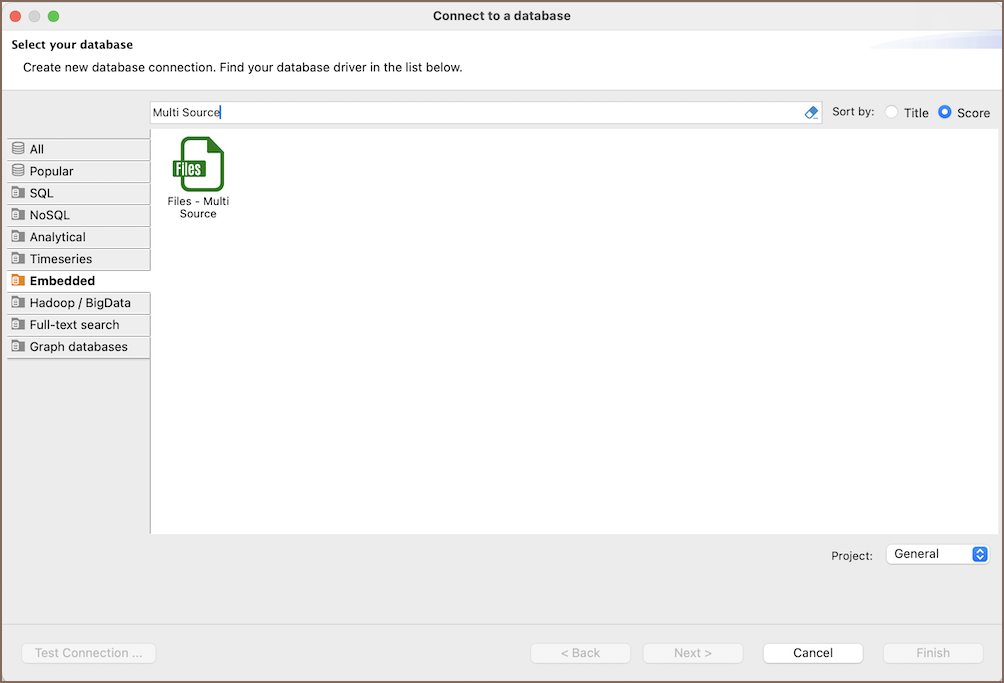
- Create and test each source connection.
-
On the toolbar, select Create Multi Source Database (
 ).
).- Alternatively, click the New Database Connection button
 and select Multi Source Database.
 - Or select Database -> Create Multi Source Database.
- Alternatively, click the New Database Connection button
-
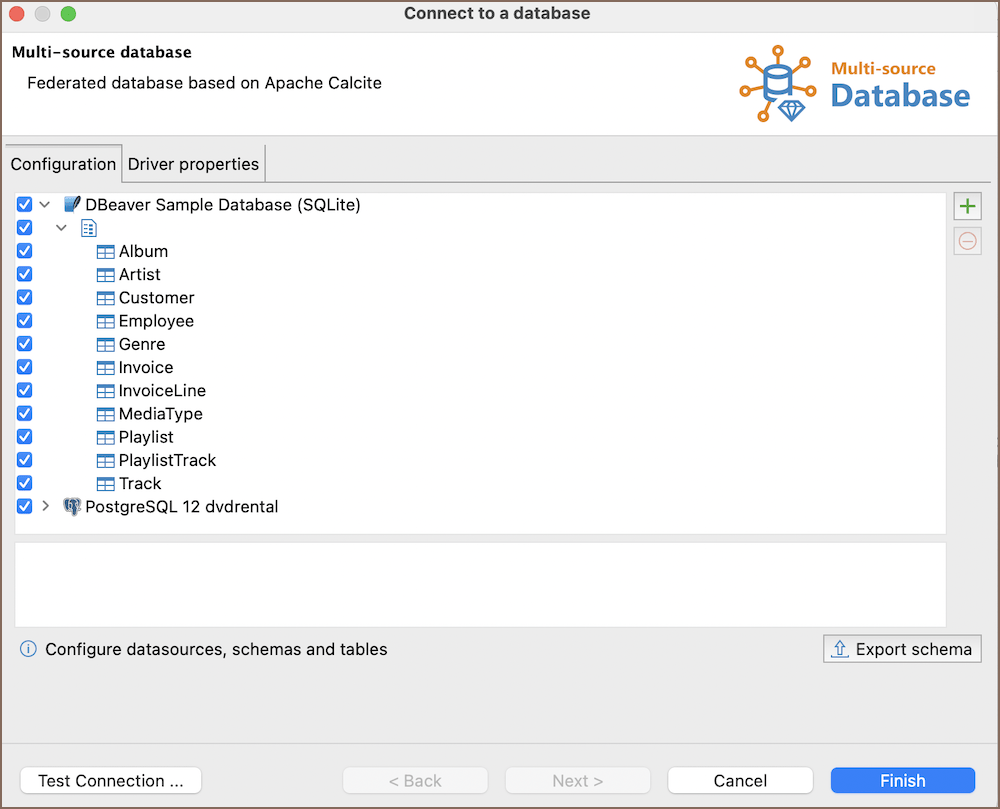
On the Configuration page, select Add database (
 ), choose a source connection, and
confirm your selection.
), choose a source connection, and
confirm your selection.Info
To add a datasource from Connections, drag it to the configuration tree.
-
Expand each source connection and select the schemas and tables to include. Clear a connection checkbox to keep it in the configuration without using it.
Info
By default, a selected schema includes all its tables. After you select individual tables, the connection includes only that list. Add new source tables to the selection when you want to query them.
-
To change the Apache Calcite settings, open the Driver properties tab.
- Select Finish to save the Multi Source Database connection.
Driver properties
Open the Driver properties tab to configure Multi Source Database. The following property is available:
| Property | Default | Description |
|---|---|---|
join.transitive.predicates |
true |
Infer filtering conditions from joins and push them to the source connections when possible |
Export schema
Export the schema when you want to reuse the Multi Source Database configuration in an external Apache Calcite environment. The model describes the JDBC sources, schemas, and selected tables. The classpath file lists the JDBC driver libraries that Apache Calcite needs to connect to those sources.
To export the current configuration, select Export schema on the Configuration page:
- Select
JSONorYAMLas the model format. - Select the export folder. DBeaver creates
calcite-model.jsonorcalcite-model.yamlandcalcite-model.classpath, then opens the folder.
Important
Exported Calcite models can contain the JDBC URL, user name, and saved password from the included connections. Store exported files securely.
Powering Multi Source Database with DBeaver
Use one SQL editor to query data from the selected source connections. Apache Calcite plans the query and sends applicable operations to the underlying connections.
Queries in a Multi Source Database connection follow Apache Calcite syntax. Source-specific SQL features might not be available in a cross-database query.
Example
The following query joins customer data from SQLite with booking details from PostgreSQL:
Multi Source Database objects
DBeaver lets you browse the selected source objects in Connections:
- Schemas
- Tables
- Columns
- Views
- Procedures
- Data Types
- Tables
Note
The connection doesn't expose indexes, table constraints, or references. Relationship-based tools don't have relationship metadata for Multi Source Database objects.
Multi Source Database features
DBeaver provides the following features compatible with Multi Source Database connections, but not exclusive to it:
| Category | Feature |
|---|---|
| Data transfer | Data Import |
| Data Export | |
| Schema management | Schema Compare |
| Data Compare | Data Compare |