

Install as Eclipse plugin
Note
This feature is available in Community and Enterprise editions only.
If you already use an Eclipse-based IDE, you can add DBeaver directly to it instead of installing a separate app. There are two ways to do this.
Eclipse Marketplace
- Open the Eclipse Marketplace in your browser.
- Drag the Install button into your running Eclipse IDE.
- Follow the installation wizard.
Install New Software
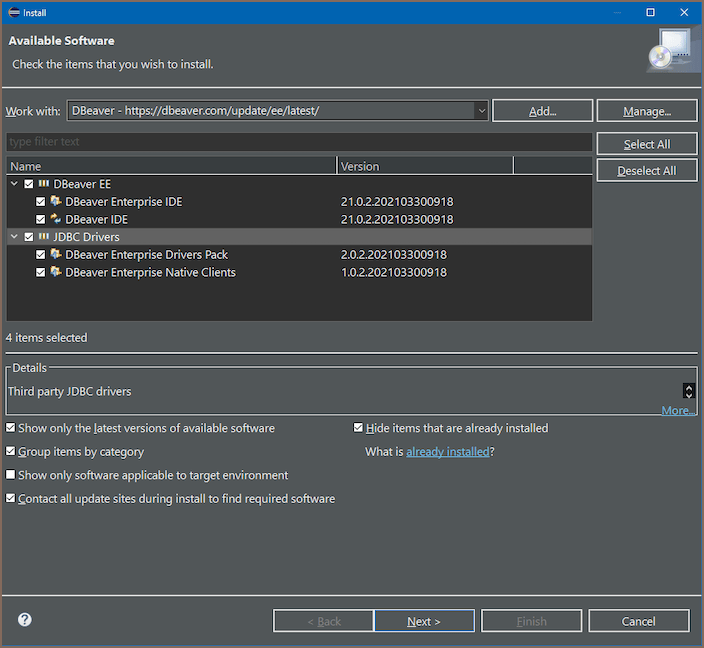
- In Eclipse, go to Help -> Install New Software.
-
In the Work with field, paste the following URL and press Enter:
-
Select the components you want to install:
- DBeaver EE - includes DBeaver Enterprise IDE and DBeaver IDE.
- JDBC Drivers - includes the Enterprise Drivers Pack and Native Clients.
-
Click Next and follow the prompts to complete the installation.
- Restart Eclipse when prompted.
Tip
Check Show only the latest versions of available software to avoid installing older builds.