Microsoft Store license
 Available since 26.1
After installation, when you open DBeaver for the first time, the No license found dialog appears. You have two options:
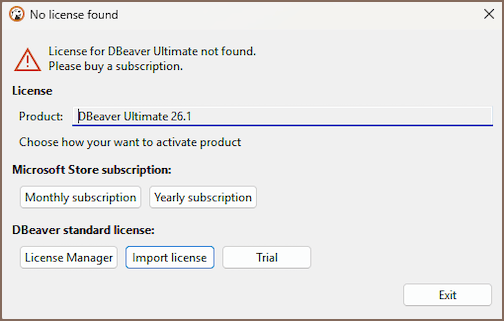
- Microsoft Store subscription - buy a monthly or yearly subscription directly in the Store
- DBeaver standard license - import an existing license or start a trial
Buy a Microsoft Store subscription
- Click Monthly subscription or Yearly subscription.
-
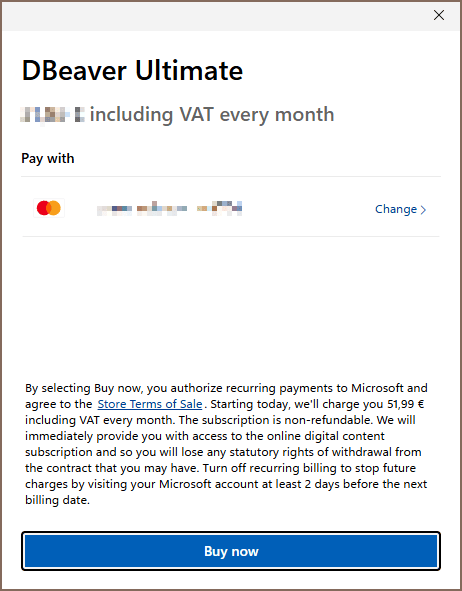
In the Microsoft Store, confirm your payment method and click Buy now.
-
The license activates automatically.
Troubleshooting
Purchased add-on is not detected
Go to License Manager and click Refresh from server. This syncs with Microsoft Store and picks up the license. If it does not work, contact Microsoft Store support.
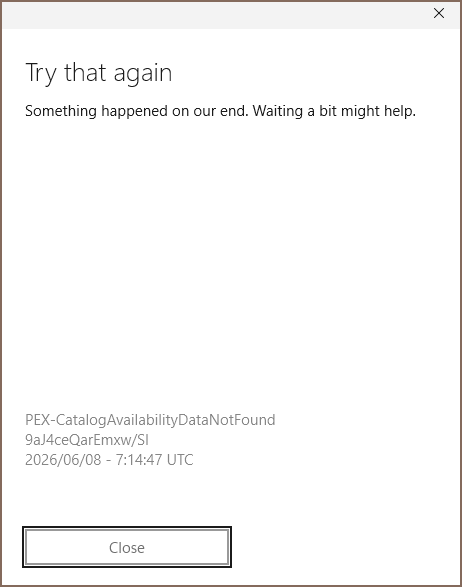
Try that again error
Sometimes a Try that again error appears during purchase. Close the dialog and click the button again. If
the issue persists, contact Microsoft Store support and include your account region.