

Network profiles
Network profiles keep your connection network settings - SSH, proxy, Kubernetes, and AWS SSM - in one place, so you can reuse them across connections instead of setting them up on each one.
There are two types of profiles:
- Global - available in every project.
- Local - available in one project only.
Info
Learn more about projects
Manage profiles
You manage profiles on the Network profiles page. Open it for the scope you need:
-
Global profiles
- Go to Window -> Preferences -> Connections -> Network profiles.
-
Pick
<Global>in the Project dropdown.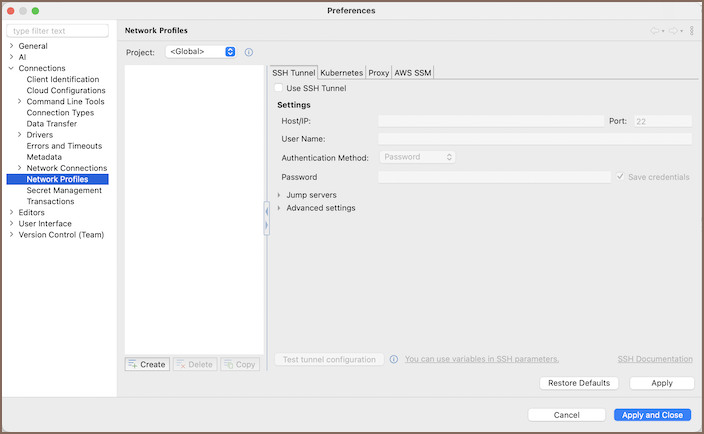
-
Local profiles
- Start creating a connection.
-
Click No profiles in the toolbar, then select Edit profiles.
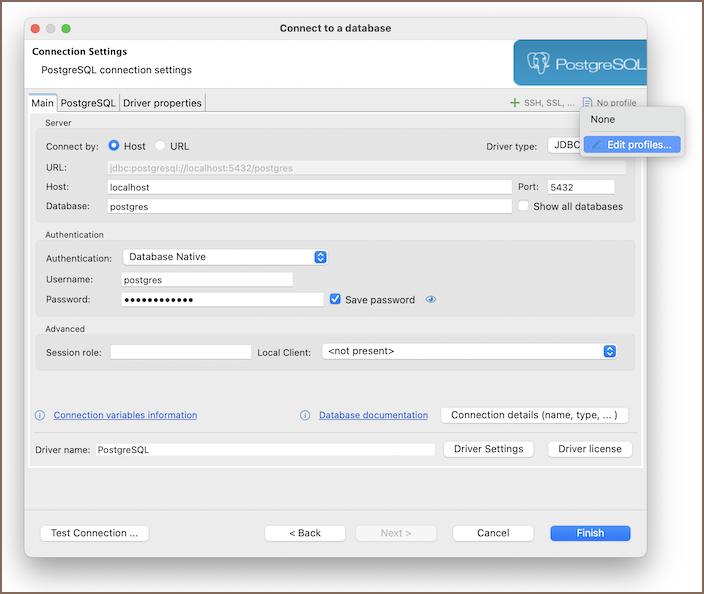
Info
Alternatively, open Window -> Preferences -> Connections -> Network profiles and pick the project in the Project dropdown.
Create a profile
- In the left panel, click Create (
 ).
). -
Enter a name for the profile and click OK.
Important
A local profile overrides a global one with the same name. If a project has a local profile named
prod, the connection uses the localprodand ignores the global one. -
Configure the profile's network options:
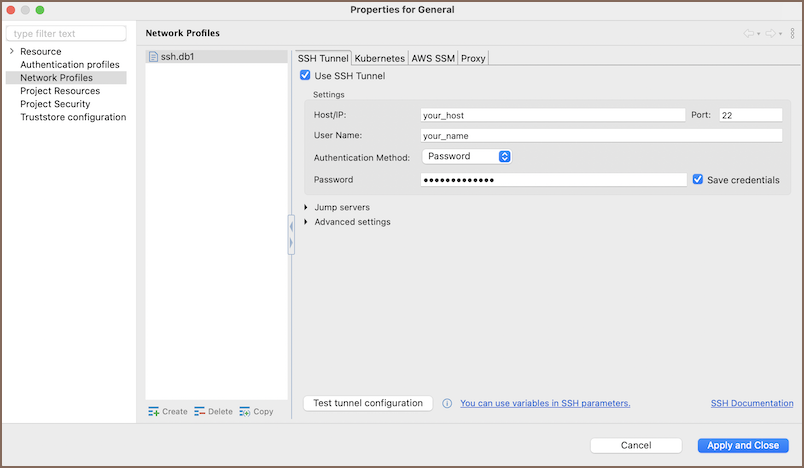
-
Click Apply and close.
Copy a profile
Copy a profile to reuse its settings as a starting point.
- Select the profile you want to copy.
- Click Copy (
 ).
). - Rename the copy and adjust its network options.
- Click Apply and close.
Delete a profile
- Select the profile you want to remove.
- Click Delete (
 ).
). - Confirm the deletion.
Important
You can't delete a local profile that's still used by a connection. DBeaver lists the connections that use it, so you can reassign them first. You can delete a global profile even when a connection uses it. When you delete it, the corresponding network configuration is removed from the connection.
Apply a profile to a connection
- Start creating a connection.
- In the toolbar, click No profiles.
-
Select a profile from the dropdown.
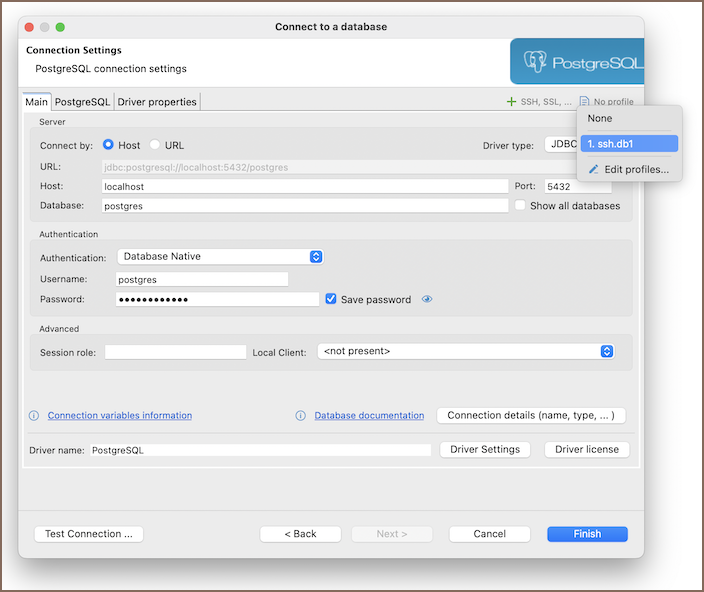
The dropdown lists global and local profiles together. An icon marks each one's scope:
 global profile
 local profile
Info
The connection uses every network setting from the profile.
Move profiles to another machine
Profiles move with wherever they're stored:
- Local profiles move with their project. See Exporting and importing projects.
- Global profiles move with the workspace. See Migrating workspace.