

Execute script with local client
Note
This feature is available in Community, Enterprise, and Ultimate editions only.
DBeaver can run a SQL script file directly through the database's native client.
Make sure the local client is installed and configured. If DBeaver can't find it, see Local Client Configuration.
Run a script through the native client
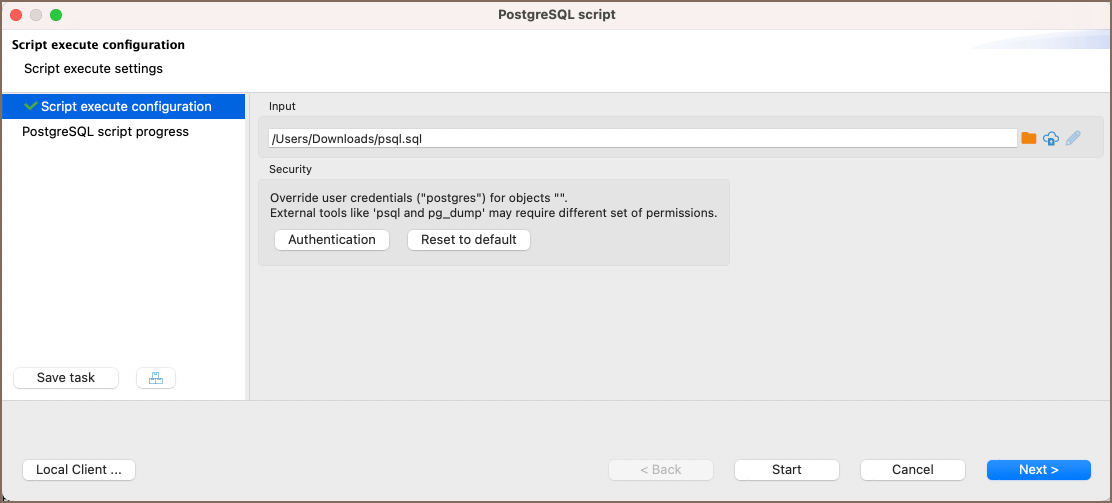
- Right-click the target database in the Database Navigator.
- Choose Tools -> Execute script.
- Point to your SQL file and click Start.
DBeaver runs the script against the database and shows the output in the task log.
TipFor Ultimate Edition only
In the file field, you can pick a file from a local directory or use the Browser remote file system
button  to select one from a remote file system.
Run a script with Oracle SQL Plus
For Oracle, DBeaver runs scripts through SQL Plus. Make sure SQL Plus is installed and configured for your Oracle connection.
- In the Database Navigator, select a schema in your Oracle database.
- Right-click and choose Tools -> Execute in SQL Plus.
- In the wizard, select the path to your script and click Start.
DBeaver supports several SQL Plus commands for Oracle compatibility.
Info
For more on configuring SQL Plus, see the official Oracle documentation.